

Frank Tuerling
The Misconception: MCP Is Being Treated Like a Workflow Engine
The Model Context Protocol (MCP) is quickly becoming one of the most talked-about developments in the AI ecosystem. It promises something the industry has been missing: a universal way for AI agents to interact with external tools. The potential is enormous.
But as interest grows, so does a misconception. MCP is increasingly being treated as if it could power real, repeatable workflows. It cannot. MCP enables access and actions, but it does not provide the structure, governance, or repeatability that business processes demand.
This article explains why MCP operates only “in the moment,” why it cannot represent predefined workflows, and what companies truly need to turn agent actions into reliable automation.
Understanding What MCP Actually Provides
MCP solves one clear problem: it standardizes the way AI systems communicate with applications. An agent can request data, perform an action, and interact with APIs through a unified protocol. This degree of interoperability is a milestone.
However, this is where the confusion starts. MCP connects an agent to tools, but it does not tell the agent how a process should unfold. It does not remember previous steps, enforce sequences, validate data, or coordinate actions across systems. It is intentionally lightweight and technical, not operational.
MCP handles communication.
Workflows require coordination.
Why MCP Cannot Act as a Workflow Engine
A fundamental limitation is temporal: MCP handles a single request in a single moment. It reacts to the user’s intent – expressed through a prompt – but it does not retain or follow predefined logic. A workflow, by contrast, is designed outside of that moment. It needs to run consistently every time, independent of the prompt wording or agent interpretation.
With MCP, an agent re-derives the flow each time. Even with similar prompts, the behavior may change due to context shifts, ambiguity, or model variation. That alone makes MCP unsuitable for any process that requires stability.
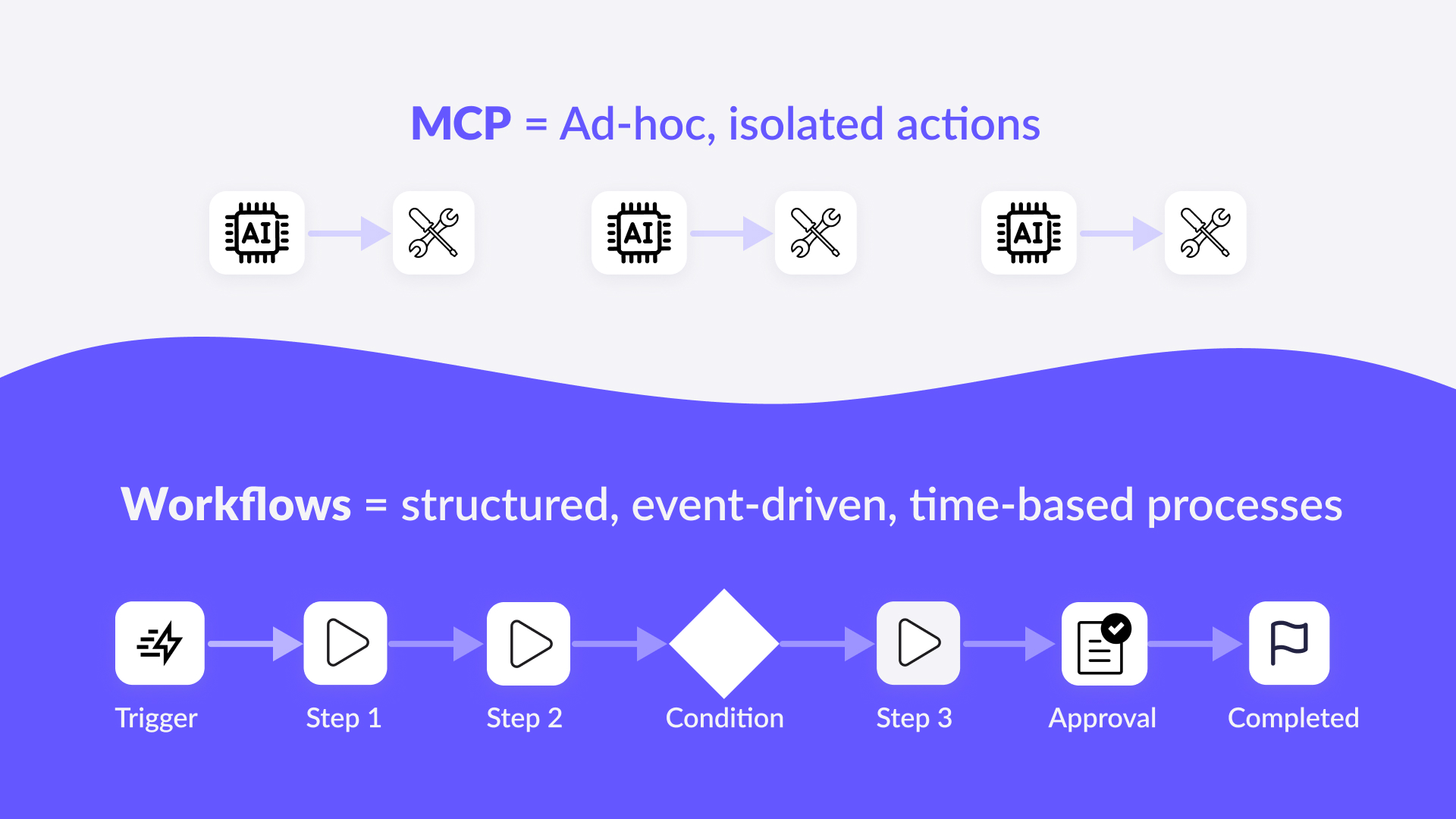
Workflows also depend on structure. They consist of multiple steps, dependencies, conditions, approvals, and transformations. MCP does not contain these concepts. It knows how to call an API, but not how to orchestrate a sequence of actions or handle what happens in between.
Equally important, MCP has no persistence layer. It stores no configuration, mappings, credentials, state, or logic. It does not know which fields belong together across different systems, how values should be transformed, or which user is allowed to trigger which part of a process.
Finally, workflows demand governance – permissions, auditability, compliance, and predictable behavior. MCP executes actions, but it cannot control who is allowed to run them or under what circumstances.
These gaps are not shortcomings; they are design decisions. MCP enables access, not automation.
Prompts Express Intent. Workflows Follow Rules
A prompt conveys what a user wants. The agent interprets the request and decides what to do in that moment. This is useful for exploration or isolated actions. Because MCP relies on interpretation rather than definition, it cannot guarantee that the same prompt results in the same execution over time.
Workflows cannot rely on interpretation. They must follow predefined rules that have been documented, tested, and approved. They need consistency, not creativity.
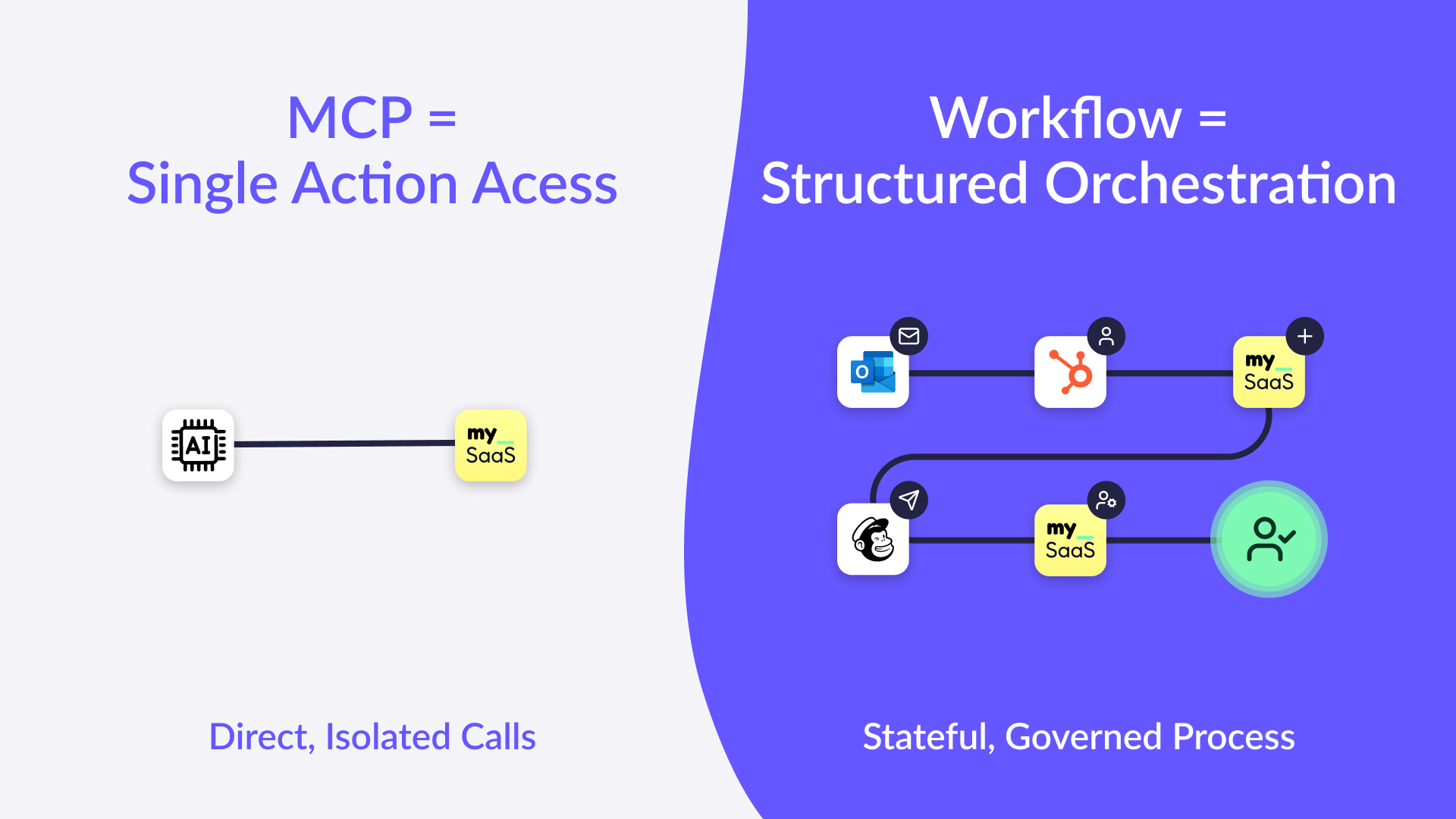
This distinction – intent versus rules – sits at the core of why MCP cannot replace workflow orchestration.
Where MCP Falls Short in Real Business Scenarios
The limitations become clearer when looking at practical use cases. Most operational processes involve a series of actions across multiple tools, triggered by events, governed by conditions, and executed in a predictable sequence.
Customer onboarding, employee offboarding, monthly reporting cycles, lead enrichment, project creation, task assignment, notifications, escalations — all of these require:
-
- stable multi-step logic
- persistent mappings and data dependencies
- conditional paths
- scheduled or event-based triggers
- approvals and permissions
- error handling and retries
MCP can call an API in one tool. But orchestrating a coordinated process across multiple systems demands more than isolated calls.
What Companies Really Need to Make MCP Useful
To benefit from MCP in real-world environments, companies need an additional layer that provides the missing capabilities: persistence, orchestration, governance, and process intelligence. This layer must give structure to the agent’s actions and turn individual tool calls into repeatable flows.
This is exactly the space where FlowMate operates.
FlowMate provides the workflow layer that MCP lacks. It allows companies to define flows with clear steps, data mappings, triggers, approvals, permissions, and error handling. These flows run consistently for every customer and every interaction, independent of how an agent formulates a request.
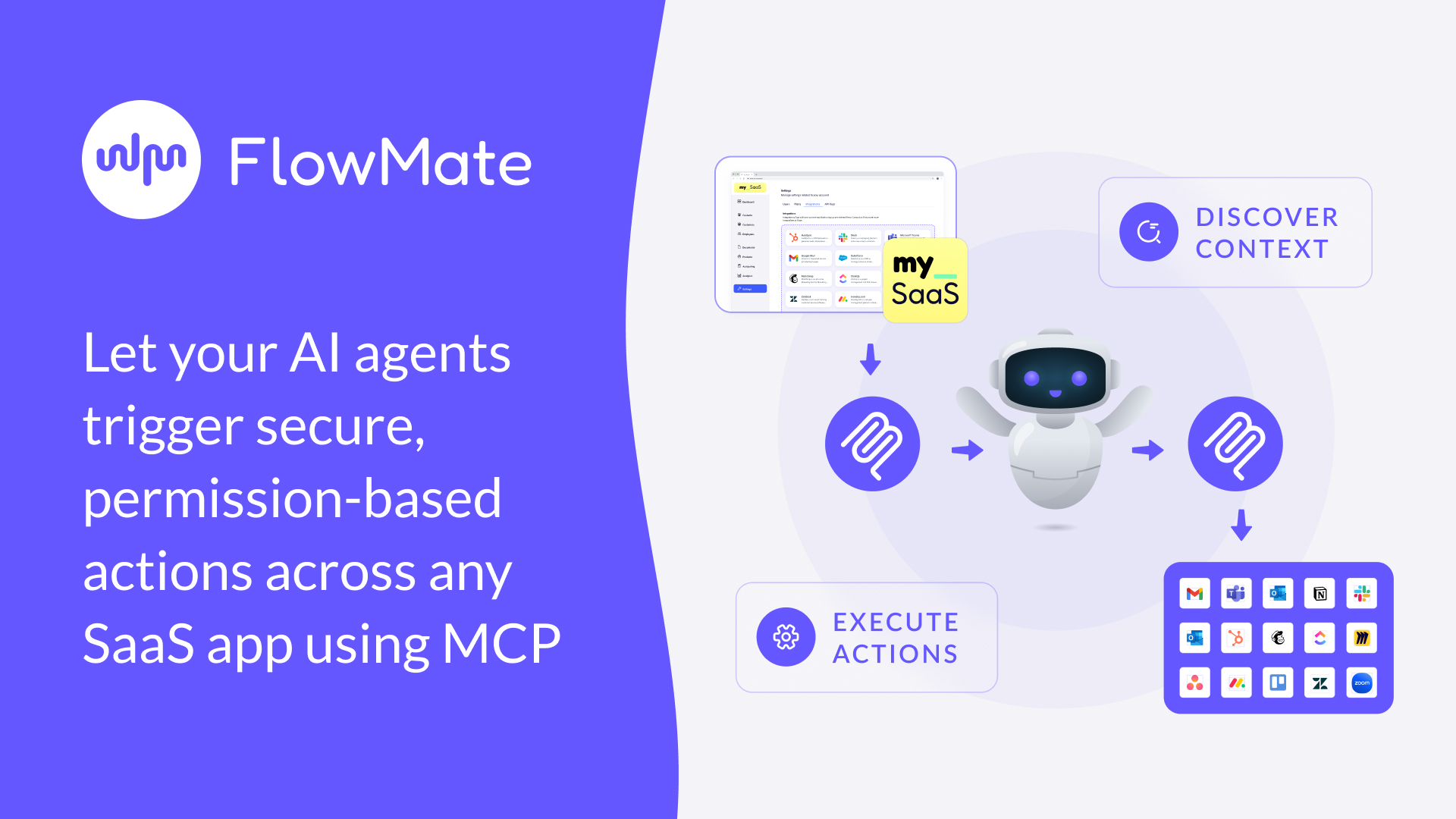
Rather than letting each agent “invent” the process on the spot, FlowMate stores the logic and executes it reliably. MCP becomes the bridge to the tools – FlowMate becomes the system that knows what to do, in what order, and under which conditions.
In other words, MCP unlocks access. FlowMate turns that access into structured automation.
MCP Remains Essential, but It Is Only One Part of the Stack
MCP is an important evolution in the integration landscape and will accelerate the adoption of AI in enterprise environments. It introduces a standard way for agents to interact with applications – something the industry urgently needed.
But MCP alone cannot deliver the stability, repeatability, or safety required for business workflows. Those requirements sit above the protocol layer. They belong to workflow systems, not to communication standards.
The future of AI-driven automation lies in combining the strengths of both worlds: MCP as the universal interface, and a workflow engine like FlowMate as the orchestration layer that turns agent intent into dependable execution.

Unlock Your Embedded Automation Potential.
Deliver real value—launch automations with all the integrations your customers need, embedded directly in your app within days.
Start Now
Explore What MCP + FlowMate Can Power Togethe
f you are developing AI agents or already have them in use and want them to execute real, cross-app workflows for your customers, we’d be happy to walk you through concrete examples and explore how FlowMate provides the workflow foundation MCP alone cannot deliver.
Please book a personal meeting and let’s discuss your specific use cases.
Start Your Growth Journey With Seamless Integration Today

More articles from our Blog
The Future of Enterprise AI Is Execution
Enterprise AI platforms are advancing fast. They can reason, generate insights, and even plan actions. But real value does not emerge from intelligence alone. It emerges from execution. In this post, we explore why execution is the defining challenge for enterprise AI platforms and why an execution layer becomes the critical infrastructure that turns AI into an operational system.
Why Workflow Builders Unlock Real Value by Connecting Apps
Workflow builders are becoming a key part of modern SaaS products. But where does their real value actually come from? In this post, we explore why connecting the apps customers already use makes workflow builders truly powerful, value-driving features, and why this matters more than ever.
Embedding n8n in Your SaaS App: What’s Possible and What You’ll Need to Build
n8n has become one of the most popular workflow automation tools in the world, open-source, flexible, and developer-friendly. But when SaaS companies try to embed it into their own product, reality quickly gets complicated. In this article, we’ll unpack what n8n can do inside a SaaS product, what it can’t, and what you’d need to build to make it truly work at scale.
How metamorphOS Uses FlowMate to Power Real-World Workflow Orchestration
Discover how metamorphOS powers real-world workflow orchestration with FlowMate. By embedding FlowMate’s automation and integration engine, metamorphOS connects people, AI agents, and apps into seamless business processes. Learn how this partnership turns complex, manual workflows into scalable, automated success.
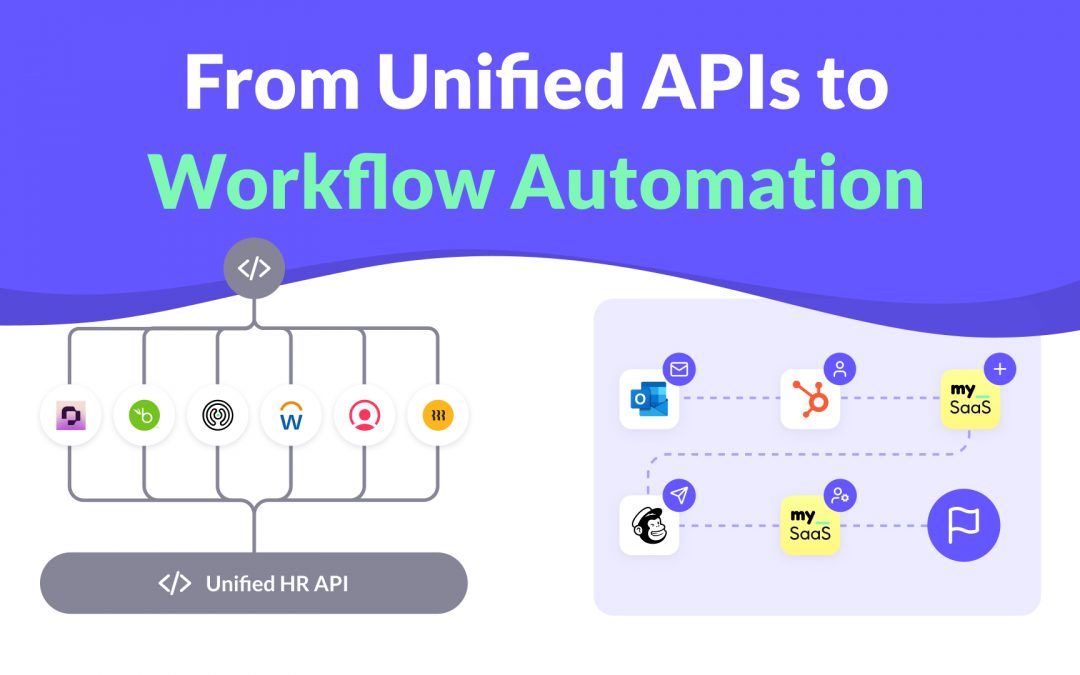
From Unified APIs to Workflow Automation
Unified APIs simplify data access, but modern SaaS products need more. This post explains why syncing data is not enough to deliver customer value and how event-driven triggers, actions, and workflows are redefining integration. Learn how moving from static connections to intelligent automation helps SaaS providers build integrations that adapt to real processes and create real workflow enablement.
How to Launch New Integrations: A Go-To-Market Playbook for SaaS Teams
Learn how to turn your next integration launch into a strategic growth campaign, not just a technical release. This step-by-step playbook shows SaaS teams how to unlock revenue, improve retention, and generate demand by treating integrations as powerful go-to-market assets, not just features. If you want more from your integration investments, this guide is for you.

Empower Your AI Agent to Execute Real Actions Across Any SaaS Tool
Many SaaS teams are racing to embed AI agents into their products, but most AI agents are starkly limited. Why? Because they lack the infrastructure to take real action across third-party tools. In this post, we unpack what’s missing, why the MCP standard matters, and how FlowMate MCP turns your AI agent into an operator by unlocking real automation across your customers’ stack.

Monetizing Automation & Integrations: Turn Customer Pain into Your MRR
Most SaaS companies underestimate the business value of automation and integrations. In this post, we explore how native automation not only improves product stickiness but also opens the door to entirely new revenue streams. Learn how to boost MRR while helping your customers save money by replacing costly third-party automation tools.

The Missing Piece in SaaS Workflow Automation: Real-Time Integrations
Many SaaS products offer workflow automation within their app—but real-time, event-driven integrations with third-party apps are often missing or hard to implement. In this post, we explore why they’re essential for modern SaaS platforms and how teams can overcome the technical hurdles.

The #1 Sales and Churn Pitfall for SaaS Companies: integrations
In today’s SaaS landscape, seamless integrations are essential for boosting sales and cutting churn. Overlooking them leads to lost deals and frustrated teams. This post reveals why integration is a must-have for driving growth and meeting customer workflow demands.

Why Workflow-Driven Integrations Are Essential for CRM Success
In today’s hyper-connected sales environment, managing workflows isn’t just about using a CRM—it’s about seamlessly connecting dozens of tools that power the sales pipeline. Sales teams rely on CRMs, lead generation tools, contract management software, analytics platforms, and more to streamline their processes and drive revenue.

Mastering 2-Way Sync: The Key to Seamless Data Integration
Picture this: Your customers use Salesforce to manage their sales processes while they use your product to manage customer service and gain unique insights. Without integration, Salesforce data—like deal history or contact details—remains siloed, and your product’s insights can’t flow back to Salesforce.
Get all integrations you need always up to date
Access over 120 pre-built integrations for rapid connectivity with your SaaS. Get integrations from our roadmap tailored to your requirements in the short-term. We create any integration you need using public APIs by arrangement, ensuring your integration needs are met swiftly and effectively.
