

Frank Tuerling
Automation looks simple. Until you have to serve every customer.
Automation looks simple when you are building for a handful of customers. A trigger fires, data moves, an action executes. Whether it is syncing employee records every night, updating a CRM when a deal changes stage, or orchestrating a cross-app workflow on behalf of a user, the visible outcome looks straightforward.
But when you are serving hundreds or thousands of customers simultaneously, every assumption changes.
What happens when an external system enforces strict rate limits across all of them at once? How do you retry failed requests without triggering duplicate actions? How do you ensure one tenant’s traffic spike does not degrade execution for another? How do you store and refresh application credentials securely across every customer environment?
These are not workflow design questions. They are platform engineering questions.
For one or two customers, automation is a script. Once you are serving enterprise clients or a large customer base, it is infrastructure. The gap between a working prototype and a production-ready multi-tenant execution system is larger than most teams expect, and it shows up at the worst possible moment: when your customer base is growing and your engineering team is already stretched.
This is why FlowMate is not a collection of integrations sitting behind a visual builder. Every automation scenario, whether real-time events, scheduled jobs, AI-driven actions, or embedded workflows, runs through a single, shared Automation Engine. One execution backbone. Consistent behavior. No parallel subsystems diverging over time.
Automation at scale is not a feature. It is infrastructure.
1. How Automation Is Actually Processed
At its core, the Automation Engine transforms incoming triggers into outbound API actions. It handles scheduling, queuing, and retry behavior in a consistent way across all connectors.
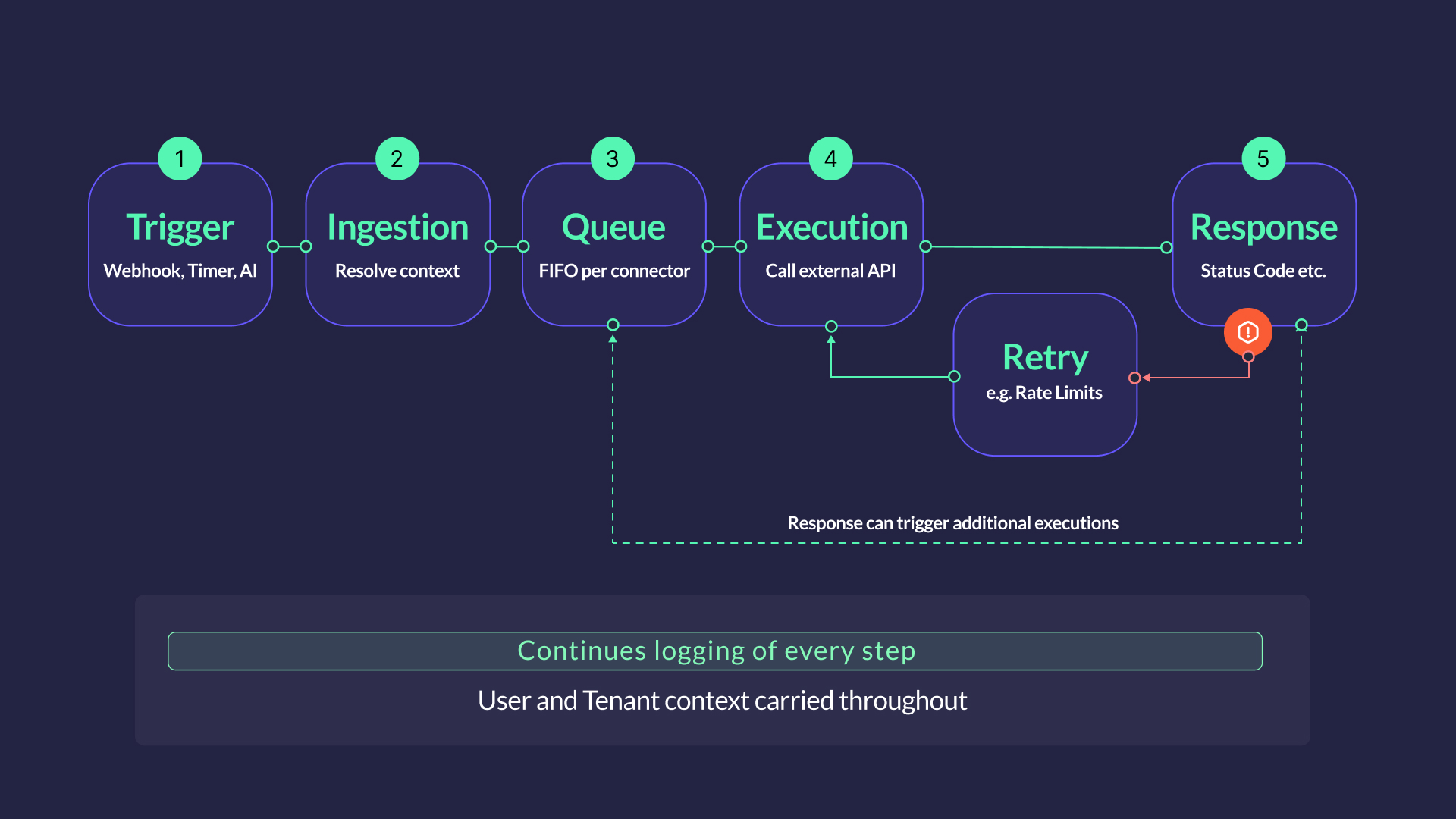
Event ingestion is where every automation begins. Incoming triggers, whether from a webhook, a timer, a manual call, or an AI agent, are mapped to the relevant Flow and enriched with user- and tenant context before execution starts. Execution always begins in a controlled, context-aware environment.
Recurring execution handles time-driven workloads natively. From syncing every minute to nightly batch jobs and delayed executions, the scheduler covers the full range of intervals without external cron infrastructure. Time-driven automation runs with the same reliability as real-time workflows.
Queue management decouples ingestion from execution. Events are queued per connector and processed in order, smoothing burst traffic and keeping execution stable under fluctuating load. For partners or customers with high volumes or specific requirements, connector instances can be scaled independently, so one demanding customer never impacts the rest.
Retry and rate handling is embedded in the runtime, not delegated to workflow logic. The engine includes exponential backoff and connector-level rate awareness, so transient failures and API limits are handled automatically rather than surfacing as errors in the flow itself.
2. Multi-Tenancy and Credential Security
FlowMate operates in a multi-tenant environment by design. Tenant context is carried throughout the full execution lifecycle – credential resolution, configuration mapping, and action routing all happen within the correct customer boundary. No cross-tenant data leakage occurs at the application layer.
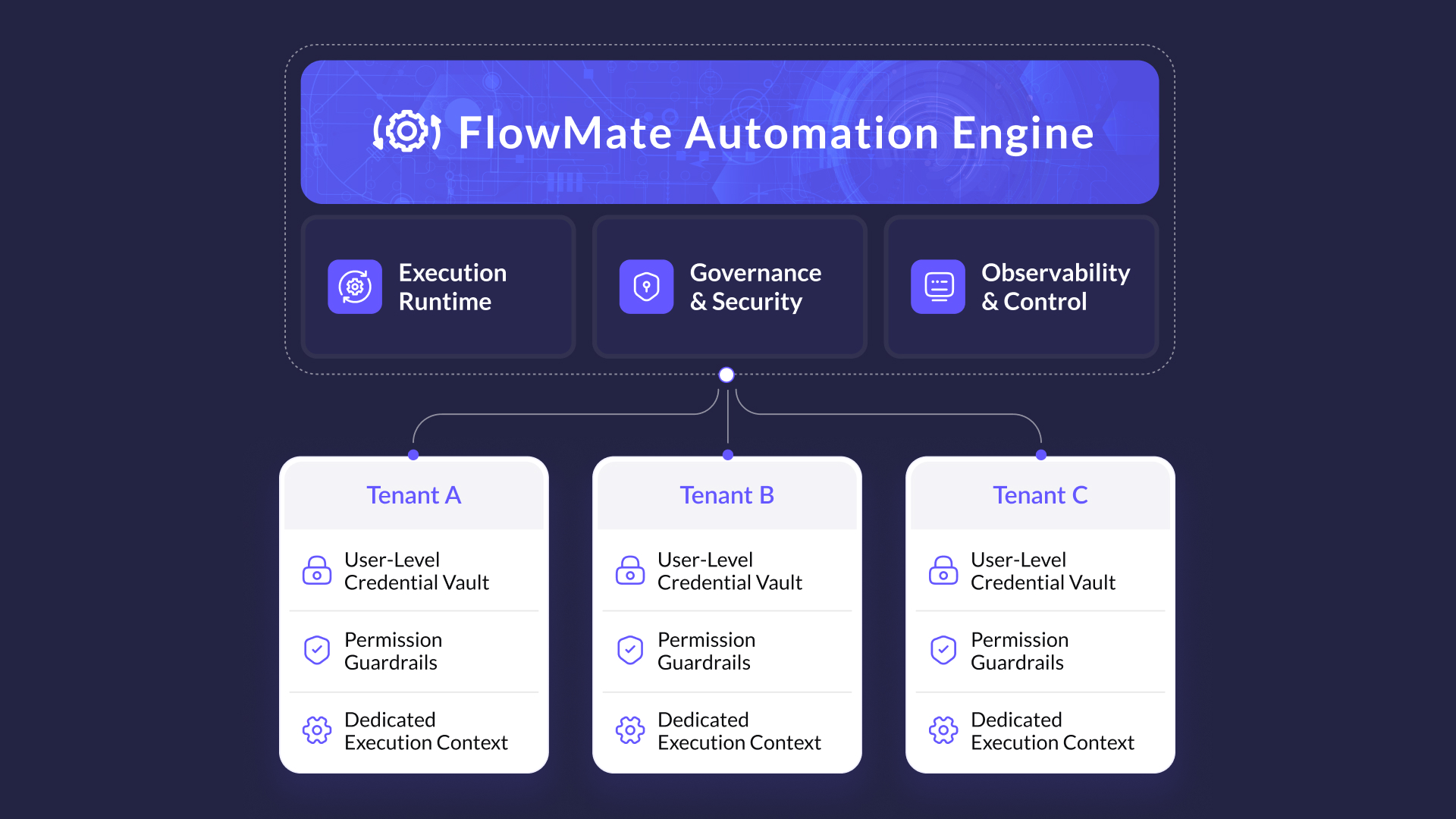
Credential management is one of the more sensitive parts of the stack. The engine supports a variety of authentication methods, including API keys, Basic Authentication, Session Authentication, and OAuth. It maintains an encrypted credential vault with full OAuth lifecycle handling, secure refresh token management, and tenant-scoped isolation. Credentials are resolved at execution time, never stored in plain form, and never surfaced beyond the connector interaction layer.
Execution permissions are managed at product level: whether a Flow is active, whether a connector is enabled for a given partner. Your product defines the boundaries. The engine enforces them consistently at runtime.
FlowMate does not store customer data. The engine processes data in transit – reading from a source, transforming where needed, writing to a destination – but does not persist it. The only exception is execution logs, which are covered in the Observability section below.
3. Observability and Operational Visibility
Running automation without visibility is how reliability problems become invisible until they are already incidents.
The engine records structured execution logs for every action, including traces, error messages, and payload information. Logs are retained for 30 days as the default setting. Retention can be configured per customer and reduced to zero if no logging is required, or extended for teams that need a longer audit window.
It is worth noting that payload data is included in logs, so teams working in sensitive data environments should factor that into their data handling practices. Audit history is available across the full execution record, giving teams the traceability they need to diagnose issues and demonstrate what ran, when, and with what result.
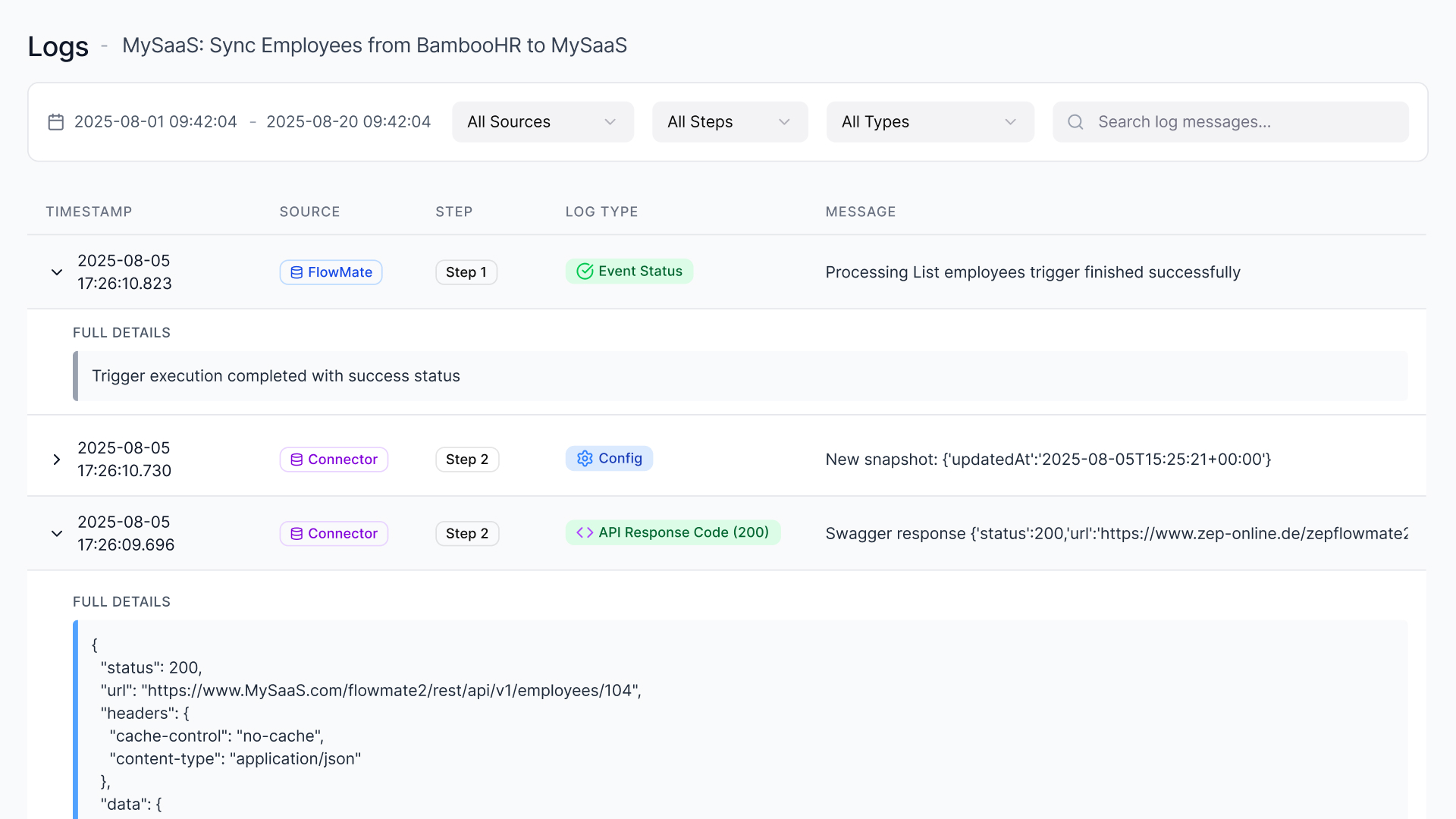
Internal runtime monitoring and connector health tracking provide continuous awareness of system behavior. The engine monitors execution state, connector availability, and runtime performance so that issues are caught at infrastructure level before they affect end users.
Execution consumption is tracked at both system and tenant level, providing the input needed for usage reporting, capacity planning, and future billing integration.
4. One Engine for All Automation Scenarios
The architectural principle is deliberately simple: one execution backbone for every scenario.
Real-time triggers, scheduled jobs, embedded workflow builder logic, and AI-driven agent actions all run through the same engine. There is no separate runtime for AI execution, no isolated scheduler cluster for time-driven jobs, no parallel infrastructure for different use cases.
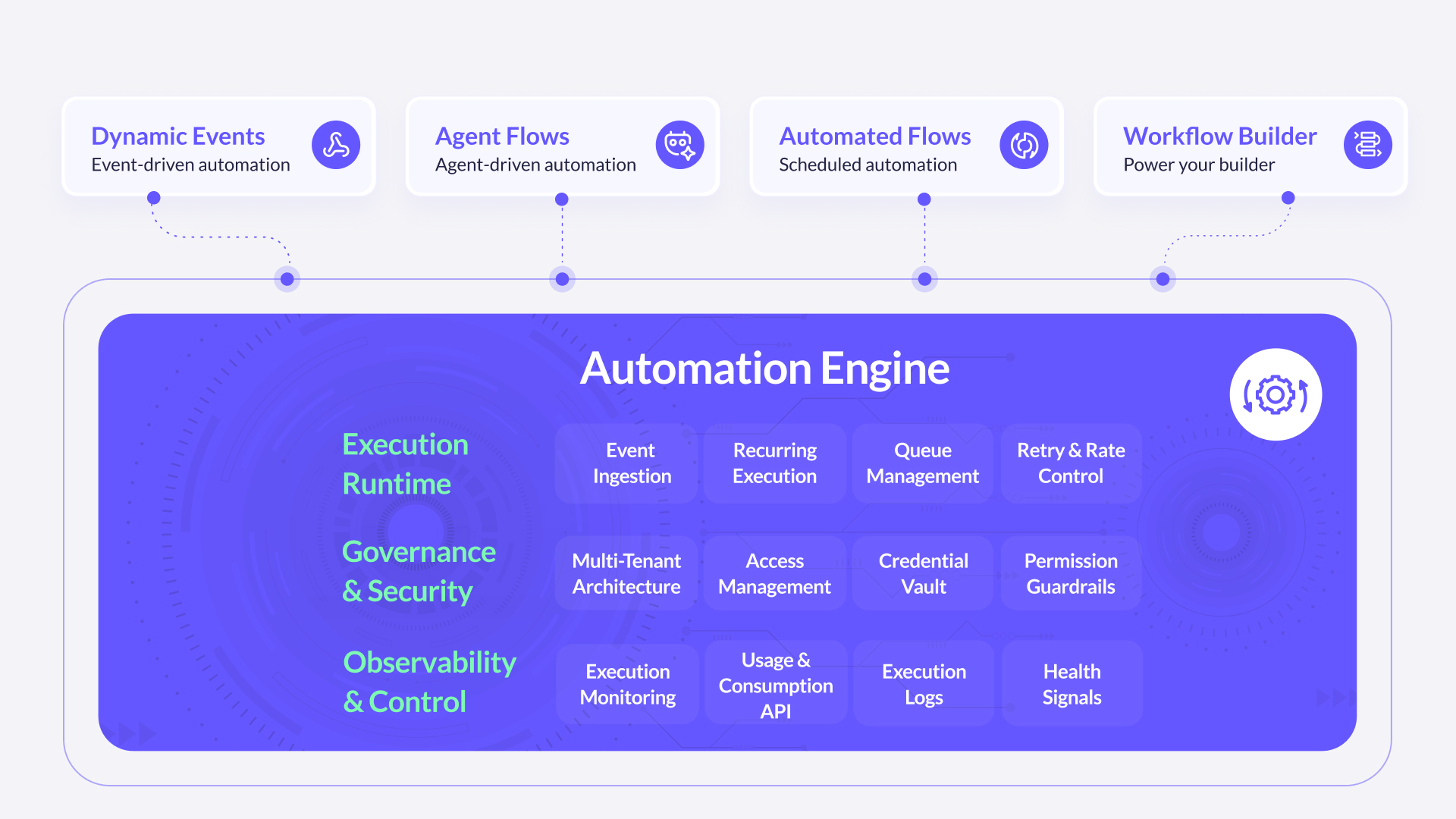
Scheduling, ingestion, queuing, retries, and credential resolution follow the same execution path regardless of how the automation was triggered.
This matters more than it might seem. Fragmented execution infrastructure, where different automation types run on different subsystems, creates divergent failure modes, inconsistent retry behavior, and independent scaling problems. Each subsystem eventually develops its own operational debt.
A shared backbone means infrastructure problems are solved once. Scaling logic is implemented once. Monitoring covers everything in the same place. As your automation footprint grows, the architecture does not fracture.
Built to scale – the infrastructure underneath
The Automation Engine runs on Kubernetes. In practice, that means the platform scales automatically with execution load – more triggers, more tenants, more concurrent jobs – without manual intervention or infrastructure decisions on your end.
Kubernetes handles workload distribution, container orchestration, and automatic recovery from node failures. When execution volume spikes, the platform scales out. When load drops, it scales back. The result is consistent performance whether you are running a handful of automations or thousands of concurrent executions across a large customer base.
For SaaS and AI platform teams, this matters because your automation load is rarely predictable. Customer growth is uneven. Campaign triggers create spikes. Agent-driven workflows behave differently than scheduled jobs. A Kubernetes-based execution layer absorbs that variability without you needing to plan for it.

Turn Your Execution Layer into a Platform Advantage
Stop building infrastructure and start shipping automation. The FlowMate Automation Engine gives AI and SaaS platforms production-ready execution from day one — multi-tenant, scalable, and secure.
See the Engine in Action
Why Building This In-House Becomes a Distributed Systems Project
Here is how most teams initially frame the build decision:
- Build a scheduler
- Add queuing and retry logic
- Create a credential store
- Implement tenant context handling
- Add monitoring
Each task looks reasonable in isolation. Most engineering teams have delivered similar components before. The timeline feels manageable.
The challenge is not any single component. It is what they become when combined.
Together, they form a distributed system with state coordination, failure domains, concurrency concerns, rate-limit management, security boundaries, and long-term operational obligations. Feature work gradually becomes infrastructure engineering.
Over time, execution reliability becomes a standing responsibility. Schedulers must be hardened. Retry behavior tuned. Credential storage audited. Queues monitored. Failures diagnosed and postmortemed.
Roadmap discussions shift – away from product differentiation and toward resilience, scaling constraints, and incident prevention.
Execution infrastructure is rarely why customers choose your product. But it can become the reason your engineering velocity slows.
Building it is possible. Owning it at scale is the commitment that is easy to underestimate.
What FlowMate Provides
The Automation Engine gives SaaS platforms and AI product teams a production-ready execution layer from day one, without the infrastructure build on their roadmap.
In practice, that means a shared execution backbone for all automation types, tenant-scoped credential management and context handling, native scheduling without external dependencies, connector-level queuing with independent scaling per customer, retry logic with exponential backoff and rate awareness, and structured execution logging across every action.
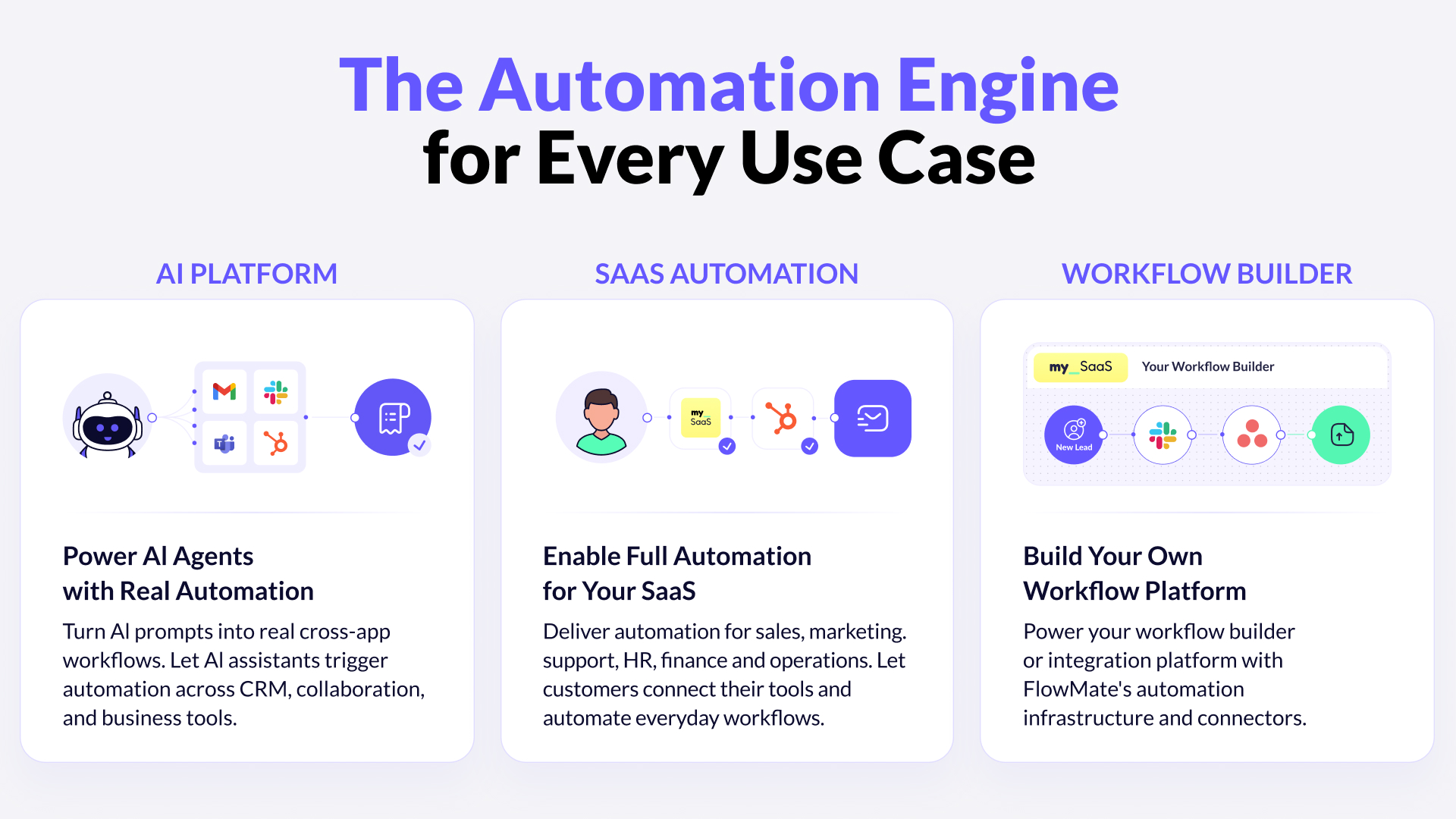
The engine is built to serve three distinct use cases. AI platforms use it to turn agent decisions into real cross-app actions – triggering workflows across CRM, collaboration, and business tools without building execution infrastructure themselves. SaaS companies embed it to deliver automation natively inside their product, covering sales, marketing, HR, finance, and operations. And teams building their own workflow or integration platforms can use FlowMate’s execution layer and connector library as the infrastructure foundation.
Execution is not optional. The only question is who builds it.
The execution layer is not the most visible part of an automation product. It does not appear on demo slides. Customers rarely ask about it by name.
But it is the reason automation either works reliably at scale or quietly becomes your biggest operational liability.
If your roadmap includes embedded workflows, cross-app execution, or automated actions at scale, the question is not whether you need execution infrastructure. The question is whether you want to build it, operate it, and own it indefinitely – or ship on top of a layer that already exists.
Let’s talk architecture
If you are building a SaaS platform or AI product and want to understand how the Automation Engine fits your architecture, let’s talk through it directly.
Please book a personal meeting and let’s discuss your specific requirements.
Unlock the Full Power of Your Workflow Builder
Enable cross-app triggers and actions, and launch automations your customers can activate instantly inside your product.

More articles from our Blog
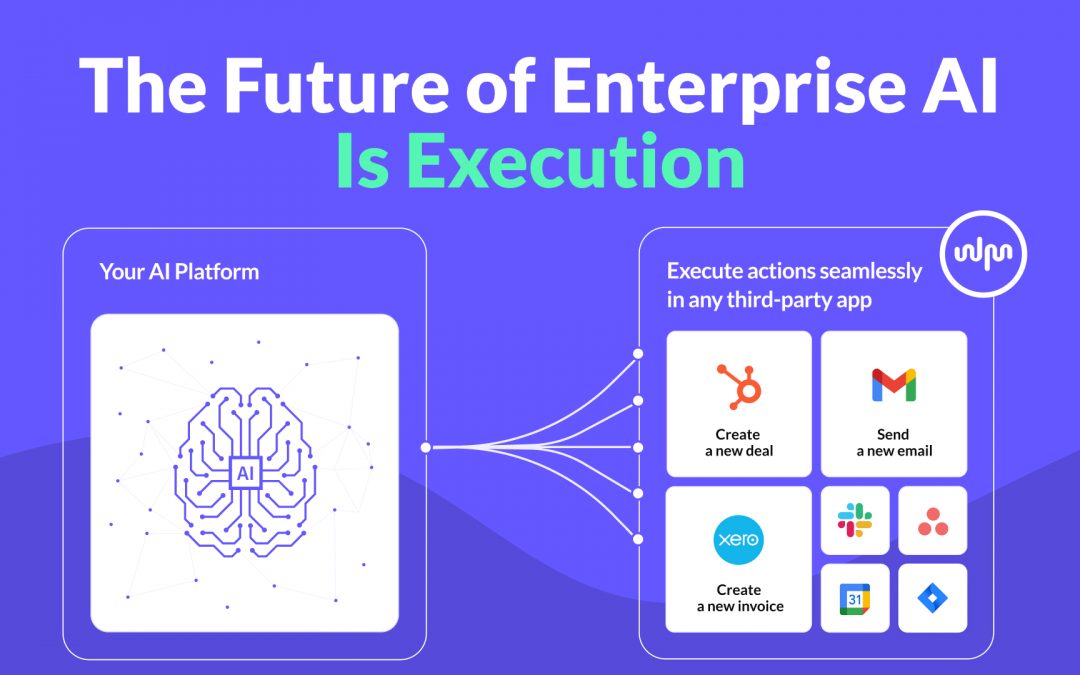
The Future of Enterprise AI Is Execution
Enterprise AI platforms are advancing fast. They can reason, generate insights, and even plan actions. But real value does not emerge from intelligence alone. It emerges from execution. In this post, we explore why execution is the defining challenge for enterprise AI platforms and why an execution layer becomes the critical infrastructure that turns AI into an operational system.
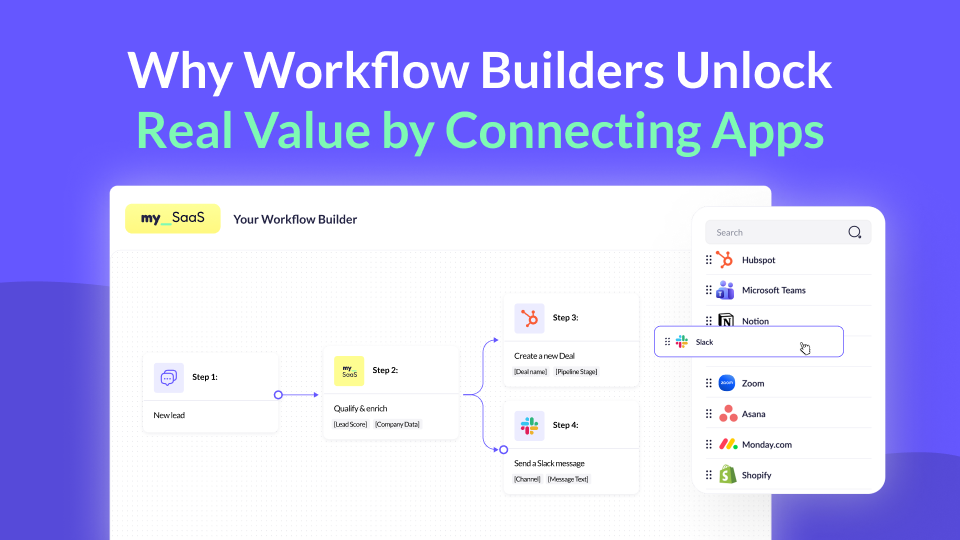
Why Workflow Builders Unlock Real Value by Connecting Apps
Workflow builders are becoming a key part of modern SaaS products. But where does their real value actually come from? In this post, we explore why connecting the apps customers already use makes workflow builders truly powerful, value-driving features, and why this matters more than ever.
Using MCP for Workflow Automation: What Works, What Doesn’t, and What You Actually Need
MCP standardizes how AI agents access tools, but it’s often mistaken for a workflow engine. In reality, it lacks structure, state, and governance. This article explains why MCP alone can’t power workflows and what additional layer you need to run automations reliably – including where FlowMate fits.
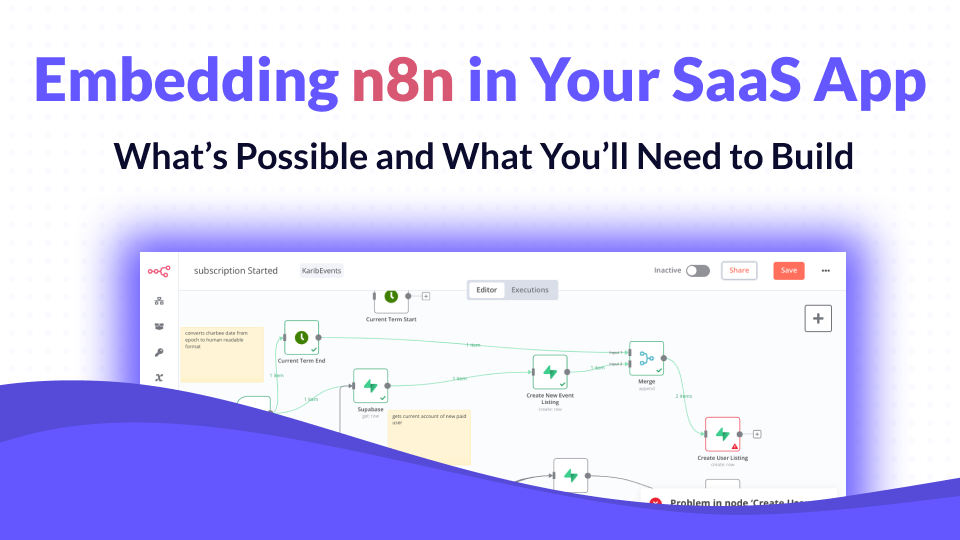
Embedding n8n in Your SaaS App: What’s Possible and What You’ll Need to Build
n8n has become one of the most popular workflow automation tools in the world, open-source, flexible, and developer-friendly. But when SaaS companies try to embed it into their own product, reality quickly gets complicated. In this article, we’ll unpack what n8n can do inside a SaaS product, what it can’t, and what you’d need to build to make it truly work at scale.
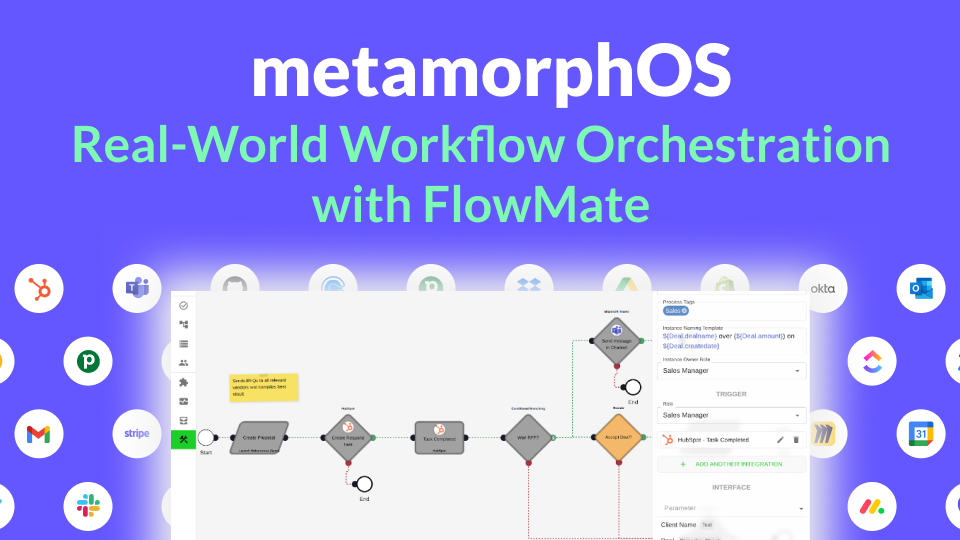
How metamorphOS Uses FlowMate to Power Real-World Workflow Orchestration
Discover how metamorphOS powers real-world workflow orchestration with FlowMate. By embedding FlowMate’s automation and integration engine, metamorphOS connects people, AI agents, and apps into seamless business processes. Learn how this partnership turns complex, manual workflows into scalable, automated success.
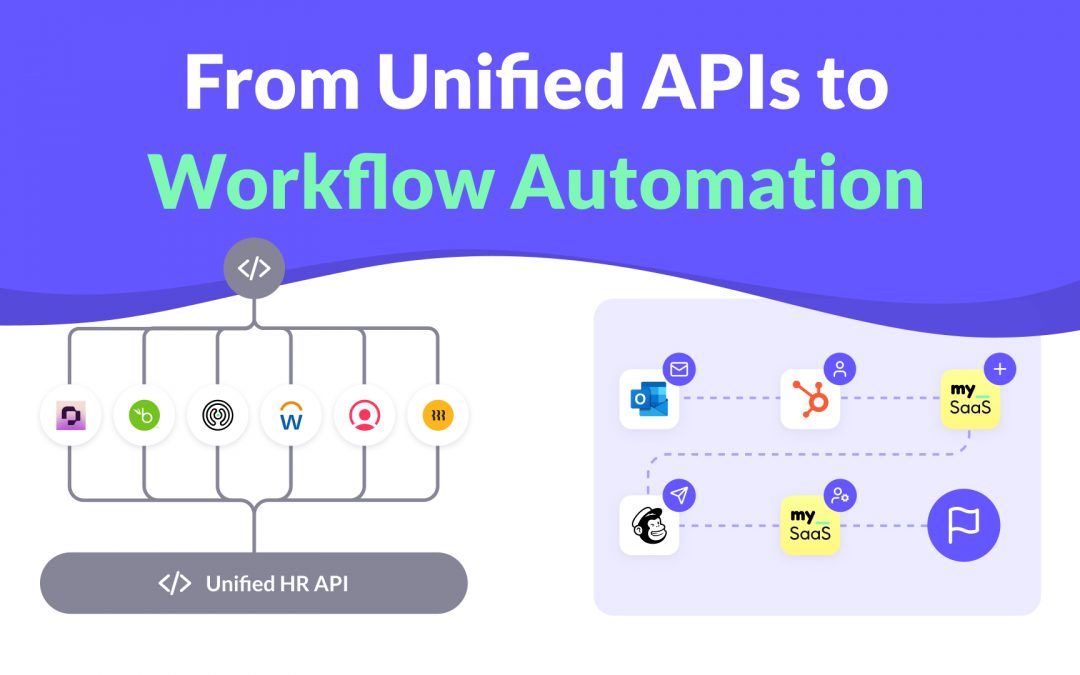
From Unified APIs to Workflow Automation
Unified APIs simplify data access, but modern SaaS products need more. This post explains why syncing data is not enough to deliver customer value and how event-driven triggers, actions, and workflows are redefining integration. Learn how moving from static connections to intelligent automation helps SaaS providers build integrations that adapt to real processes and create real workflow enablement.
How to Launch New Integrations: A Go-To-Market Playbook for SaaS Teams
Learn how to turn your next integration launch into a strategic growth campaign, not just a technical release. This step-by-step playbook shows SaaS teams how to unlock revenue, improve retention, and generate demand by treating integrations as powerful go-to-market assets, not just features. If you want more from your integration investments, this guide is for you.

Empower Your AI Agent to Execute Real Actions Across Any SaaS Tool
Many SaaS teams are racing to embed AI agents into their products, but most AI agents are starkly limited. Why? Because they lack the infrastructure to take real action across third-party tools. In this post, we unpack what’s missing, why the MCP standard matters, and how FlowMate MCP turns your AI agent into an operator by unlocking real automation across your customers’ stack.

Monetizing Automation & Integrations: Turn Customer Pain into Your MRR
Most SaaS companies underestimate the business value of automation and integrations. In this post, we explore how native automation not only improves product stickiness but also opens the door to entirely new revenue streams. Learn how to boost MRR while helping your customers save money by replacing costly third-party automation tools.

The Missing Piece in SaaS Workflow Automation: Real-Time Integrations
Many SaaS products offer workflow automation within their app—but real-time, event-driven integrations with third-party apps are often missing or hard to implement. In this post, we explore why they’re essential for modern SaaS platforms and how teams can overcome the technical hurdles.

The #1 Sales and Churn Pitfall for SaaS Companies: integrations
In today’s SaaS landscape, seamless integrations are essential for boosting sales and cutting churn. Overlooking them leads to lost deals and frustrated teams. This post reveals why integration is a must-have for driving growth and meeting customer workflow demands.

Why Workflow-Driven Integrations Are Essential for CRM Success
In today’s hyper-connected sales environment, managing workflows isn’t just about using a CRM—it’s about seamlessly connecting dozens of tools that power the sales pipeline. Sales teams rely on CRMs, lead generation tools, contract management software, analytics platforms, and more to streamline their processes and drive revenue.
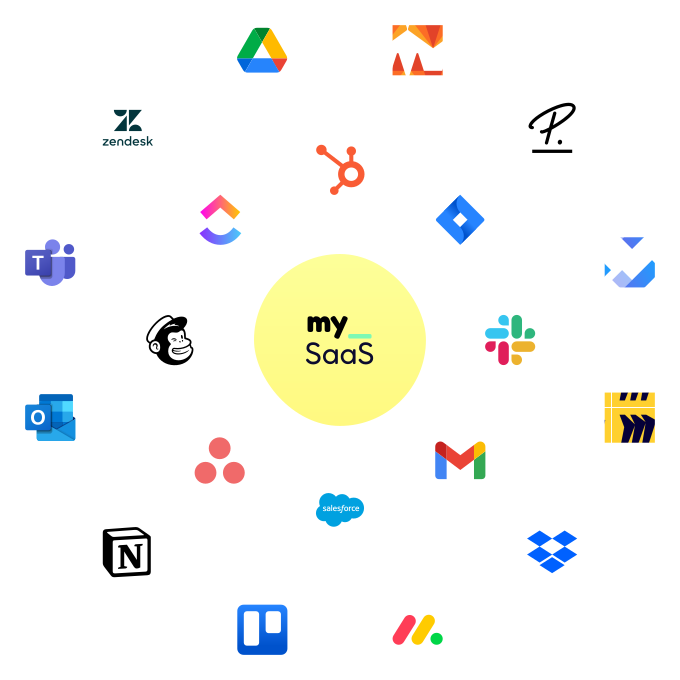
Get all integrations you need always up to date
Access over 120 pre-built integrations for rapid connectivity with your SaaS. Get integrations from our roadmap tailored to your requirements in the short-term. We create any integration you need using public APIs by arrangement, ensuring your integration needs are met swiftly and effectively.
