
Empower Your Users To Automate Everything With any SaaS directly inside your app.
Embed a branded UI for self-service workflow configuration and authentication, and deliver seamless integrations to all 3rd-party apps as a feature of your product.



No Two Customer Workflows are the Same.
Each Requires Tailored Configuration and Logic.
From custom fields to dynamic mapping, every customer expects tailored automation. Building the configuration UI, workflow logic, and all integrations from scratch takes significant time and resources most SaaS companies don’t have.
Every CRM uses different values. Customers expect these mapped into tailored workflows
Case 01

Opportunity: US West Coast - New Customer
1
Sign-up
2
Sales Demo
3
Qualified
Proposal
Case 02

DEAL PIPELINE: Discovery - EMEA deals
1
New Lead
2
Prospect
3
Opportunity
Negotiation
Case 03

Universal Trigger–Action Engine. Delivering Configuration and Logic at Scale.
FlowMate transforms unique customer needs into self-service automation. It handles configuration, workflow logic, mapping, authentication, and integrations - while users set up flows in your embedded UI.

When this happens in any app ...

When this happens in any app ...
... then do that in any app.
... then do that in any app.


Example Workflow: Marketing Automation
Turn Complexity Into Simplicity.
Self-Service Configuration Built-In.
No Developer Effort Required.
Every CRM has different pipelines, stages, and fields. FlowMate retrieves them dynamically and lets users configure workflows in your embedded UI - no developer support needed.
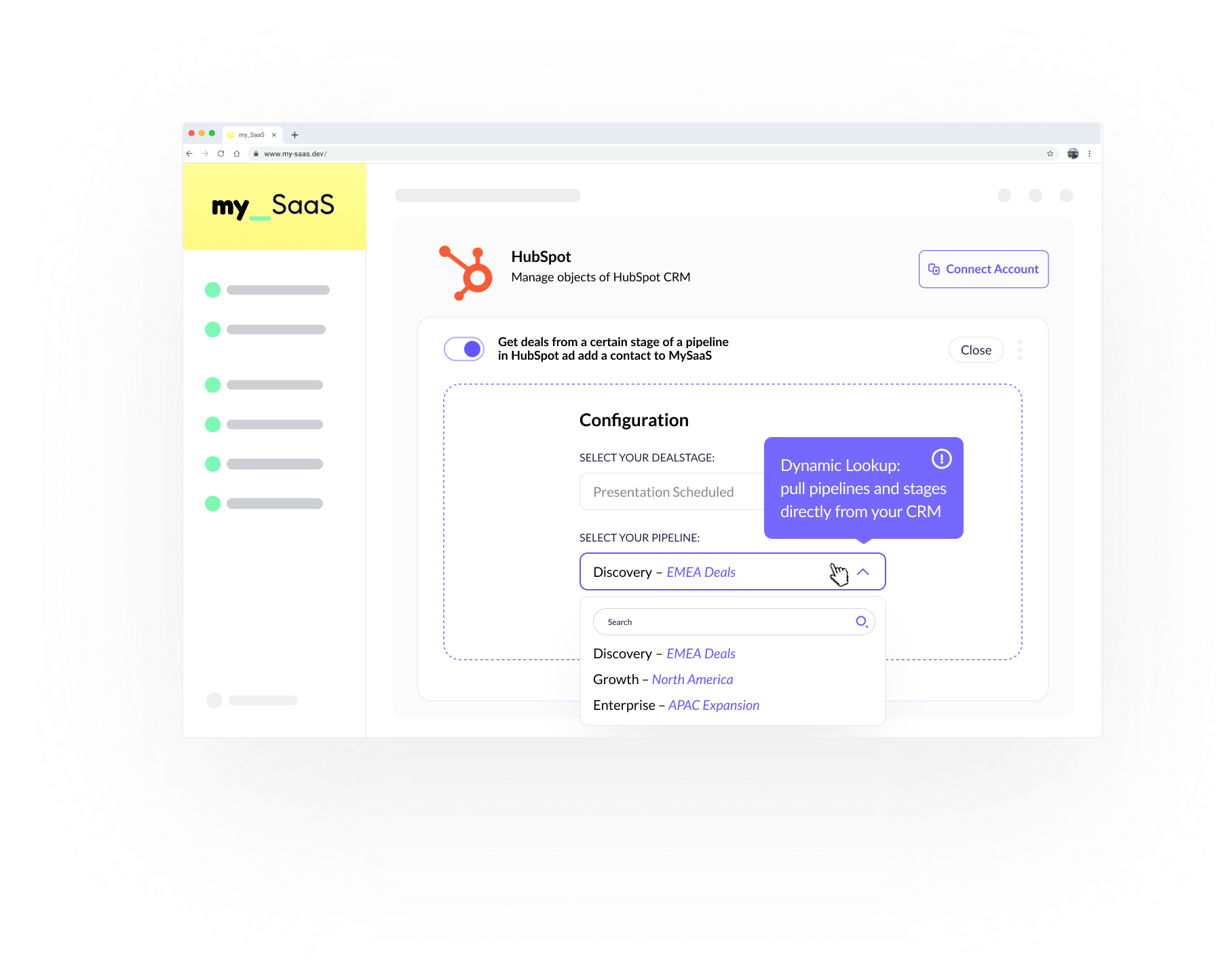

Example Workflow: Real-Time Event
Enable Real-Time Webhook Listening.
React Instantly to 3rd-Party Actions.
Trigger Automations in Your Product.
When an event happens in eCommerce, FlowMate listens in real time and triggers workflows in your app - from campaigns to ERP delivery or onboarding - with users deciding what happens next in your UI.

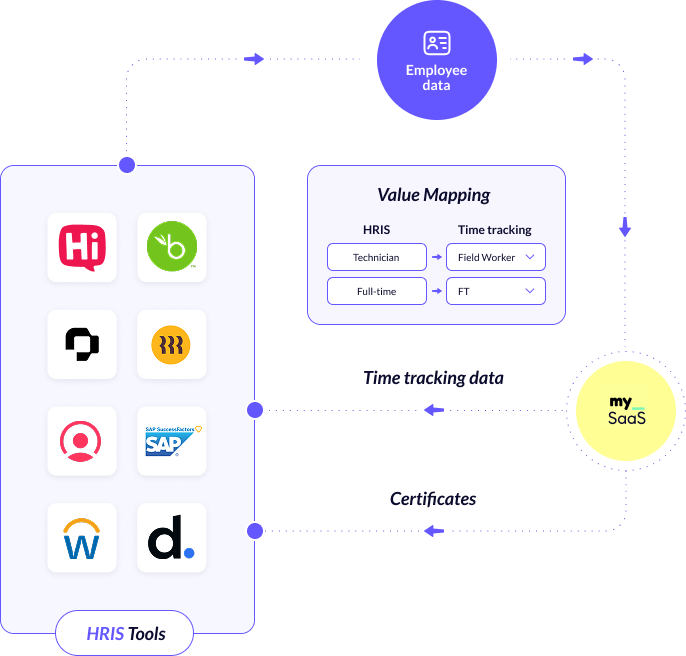
Example Workflow: HRIS <> Employees & Transactions
Sync Employee Records Across Apps.
Cover Every HR-Specific Requirement.
Keep Data Flowing in Both Directions.
Each customer structures HR data differently - departments, tags, roles, values. FlowMate lets users configure mappings and keeps records in sync, while your app sends back time tracking or certificates automatically.

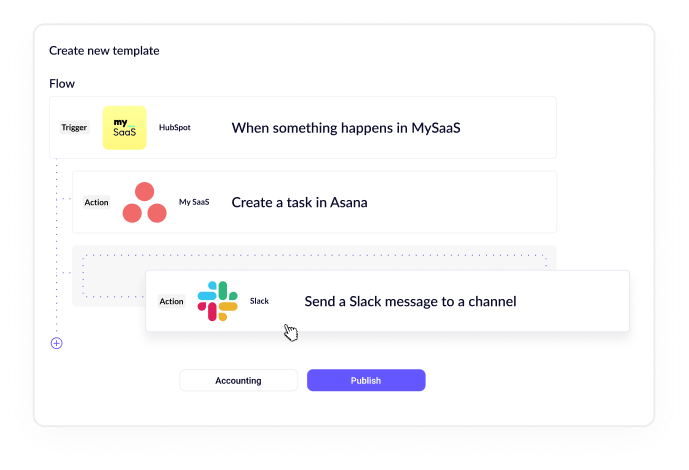
Example Workflow: One Event → Many Actions
Trigger Complex Flows Instantly One Event Powers Multiple Actions Across Apps Your Customers Use
Some customers need special multi-step workflows across several tools. With FlowMate, one event can trigger an entire automation chain. Your team builds these flows in the no-code builder and releases them for specific customers.

Example Workflow: Adapt to Every Form
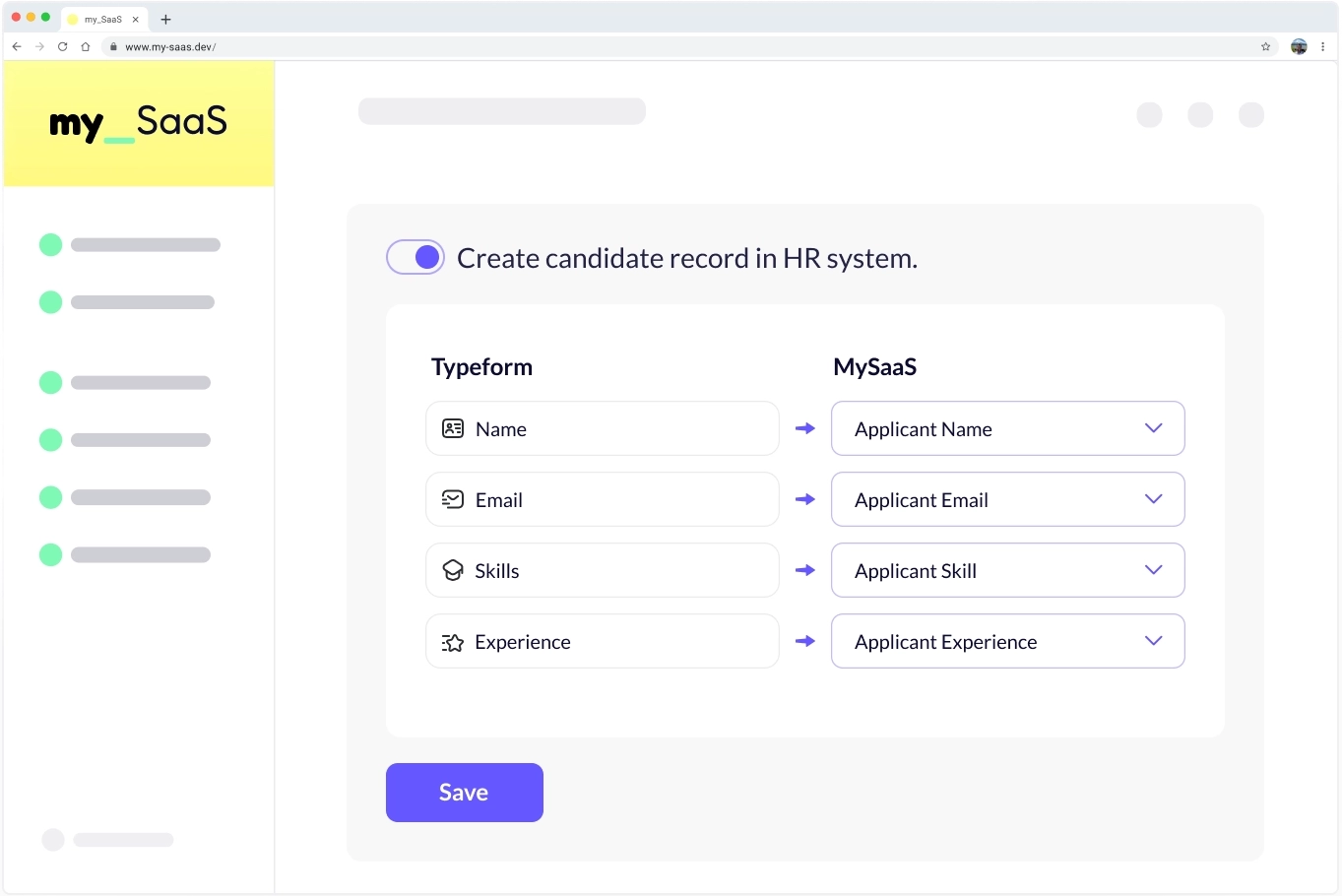
Every Form, Every Field Covered. Dynamic Mapping of Form Fields. User Configures Workflows Instantly.
When a user selects a form in your app, FlowMat retrieves its unique fields dynamically. Users can then map and configure workflows instantly — no dev work required.
One time Integration
Integrate Once, Unlock Everything. Unlock All Your Customers’ Apps.
Scale Without Developer Overhead.
Build a single connector to FlowMate and gain access to the ecosystem your customers rely on. Add new integrations by configuration - not projects - so your roadmap stays focused on core product.

All the Connectors You Need, Guaranteed
Every Endpoint and Webhook Covered
FlowMate gives you 150+ pre-built connectors and delivers any new one you request within ~48 hours. No limits, no gaps - every automation your customers need, covered.
If there’s a public API and developer access, we’ll build it for you - fast and reliably.
Empower Your App and Automate Any Scenario Instantly at Scale - Easy for Your Users to Activate
Automated Flows are one piece of the puzzle. Pair them with Agent Flows to let AI act securely across SaaS apps, and with Dynamic Events to power instant user experiences.
-
Dynamic EventsTrigger real-time automation by sending rich, contextual payloads from your app.Learn more
-
Agent FlowsLet your AI agents trigger secure, permission-based actions across any SaaS app using MCPLearn more