

Frank Tuerling
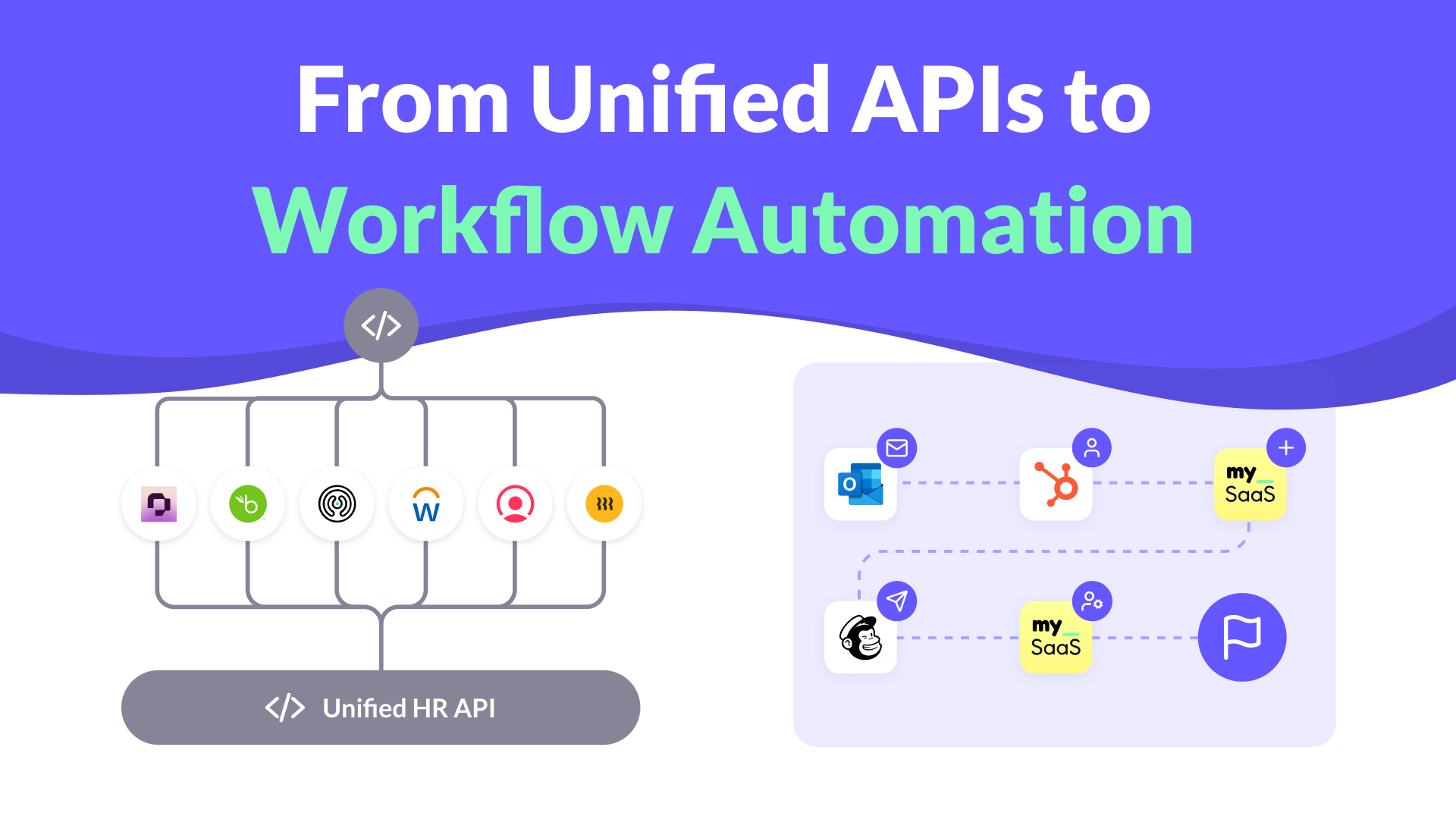
The Evolution of Integrations
Integrations started with data. Customers now expect workflows.
Unified APIs became popular because they promised simplicity. One connection, one data model, and instant access to multiple third-party apps. Instead of building and maintaining dozens of individual connectors, developer teams could connect once and speak to many systems through a unified language.
That concept made a lot of sense when the main goal was accessing and syncing data. But over time, it became clear that data exchange alone doesn’t build workflows. It doesn’t power user experiences. It doesn’t automate business logic.
And that’s where Unified APIs reach their limits.
How a Unified API Works
A Unified API is designed to simplify how SaaS tools connect with external data sources. It standardizes core entities like users, leads, or employees across different apps and exposes a single CRUD model (Create, Read, Update, Delete) so that you can exchange data through one consistent interface.
The concept is simple, read and write standardized objects across many vendors, while leaving business logic and user actions to your application.
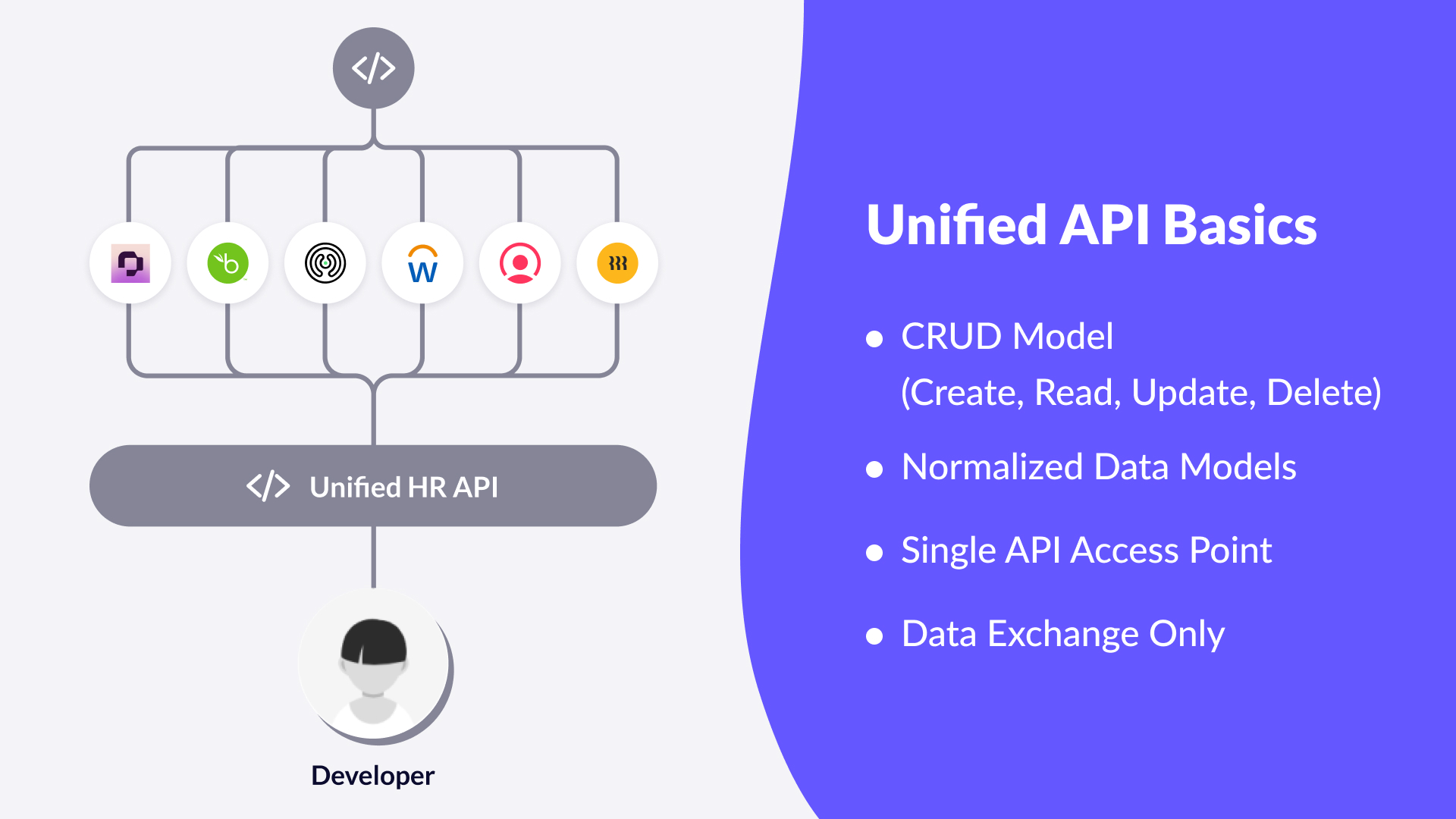
Some Unified APIs go a step further and support webhooks, allowing for near real-time updates when something changes. That helps keep systems aligned and data synchronized.
But the key word here is data. Unified APIs are excellent at exchanging information, yet they don’t understand workflow logic or how to react to real-world events. They don’t listen to changes or adapt to individual customer needs. They simply move data from A to B without focusing on the actual workflows that data supports.
Data Access Is Not Workflow Automation
A Unified API tells your system what changed. It never defines why it matters or what should happen next.
The reason behind data exchange is automation, to eliminate manual steps and make workflows more efficient. Every company strives for workflow automation, but this introduces challenges: many workflows involve humans in the loop, event triggers, and conditional steps. In practice, workflows are always customer-specific, not product-specific.
For most SaaS products, this means the heavy lifting still happens internally. Developers must write logic to react to events, connect conditions, and execute the actual actions users expect. Unified APIs provide the data layer, but the orchestration layer, the workflows that define when, how, and why things happen, remains missing.
Let’s look at that difference in two common areas where integration complexity quickly becomes visible.
Example 1: CRM – From Data Sync to Workflow Enablement
CRM is a perfect example to make this difference tangible.
A Unified API can synchronize customer or lead data between tools. It ensures that records are consistent across systems, so the sales team sees the same contact information everywhere. That’s useful, but it stops there.
In reality, most SaaS teams don’t just want to copy data. They want to act on it.
When a new lead is created, the workflow should open a deal in a specific pipeline stage, assign the right owner, notify the team, and enrich the record. The exact sequence varies by customer, because pipeline logic, ownership rules, and enrichment steps are all customer-specific.
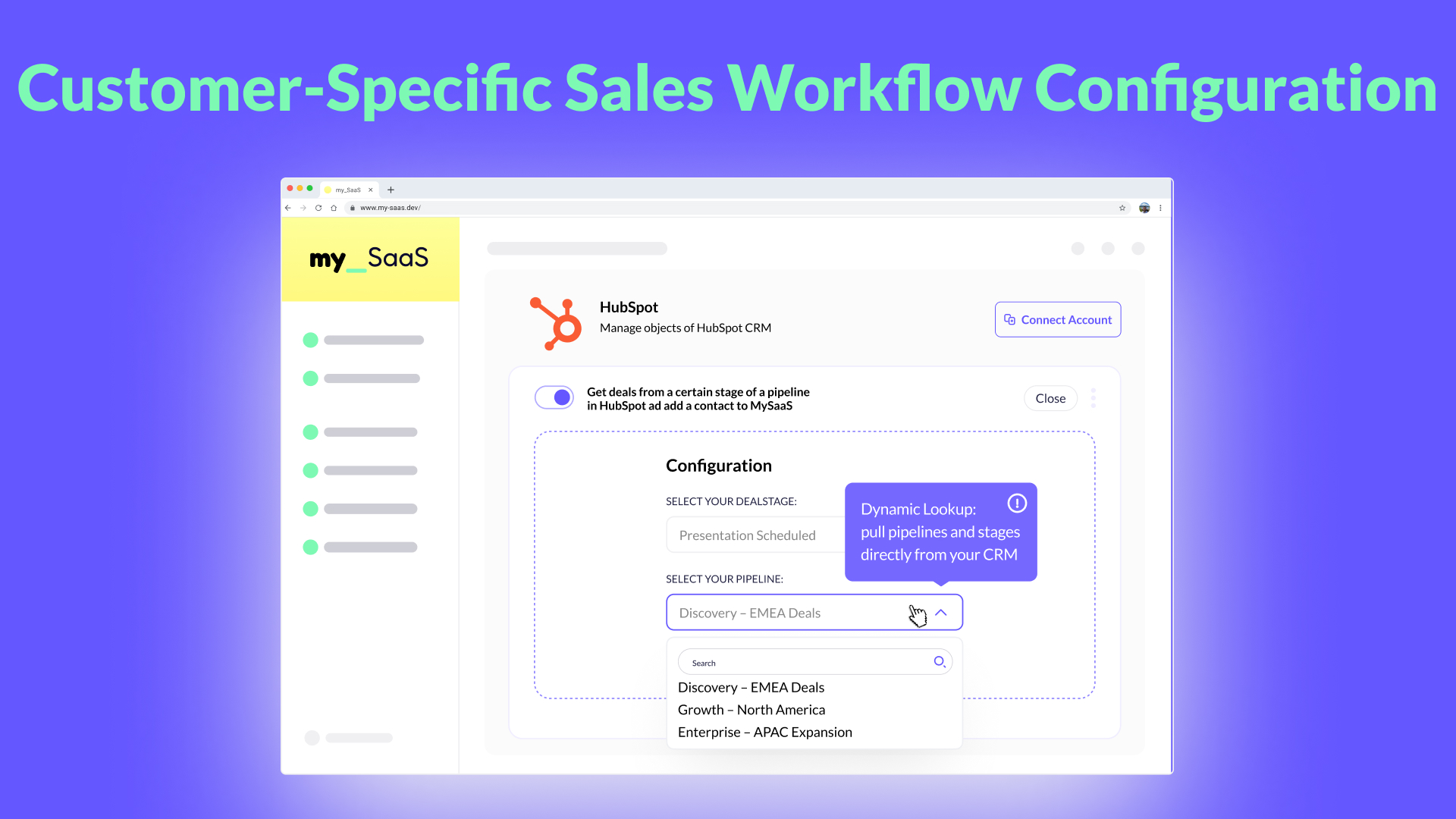
That’s something no Unified API can handle. It’s where automation takes over, translating static data exchange into living workflows that adapt to each company’s process.
Example 2: HR – From Generic Sync to Individual Logic
HR tools face a similar challenge. A Unified API can synchronize employee data between systems, name, department, title, start date. That’s helpful for maintaining consistency, but not enough for how modern organizations actually operate.
For example, with HR data exchange, the goal is to automate how employee information flows between systems. In a typical HR scenario, the HRIS acts as the single source of truth for all employee data, while the HR department also uses tools for e-learning, recruiting, and time tracking. Employee data should be synchronized with these tools, which is where a Unified API works well.
But each month, time tracking data must be transferred back to the HRIS for payroll. This is just one example of many where workflows extend far beyond simple data synchronization. These time tracking records are always period-specific and employee-specific, and often require a supervisor’s approval before they can be sent. That is the human-in-the-loop step that gates the next action.
After approval, the data should flow back to the HRIS and perhaps also to an invoicing system for billing. Absence data must also flow on the right cadence, aligned with each customer’s policy. This reflects how each customer’s unique processes truly work.
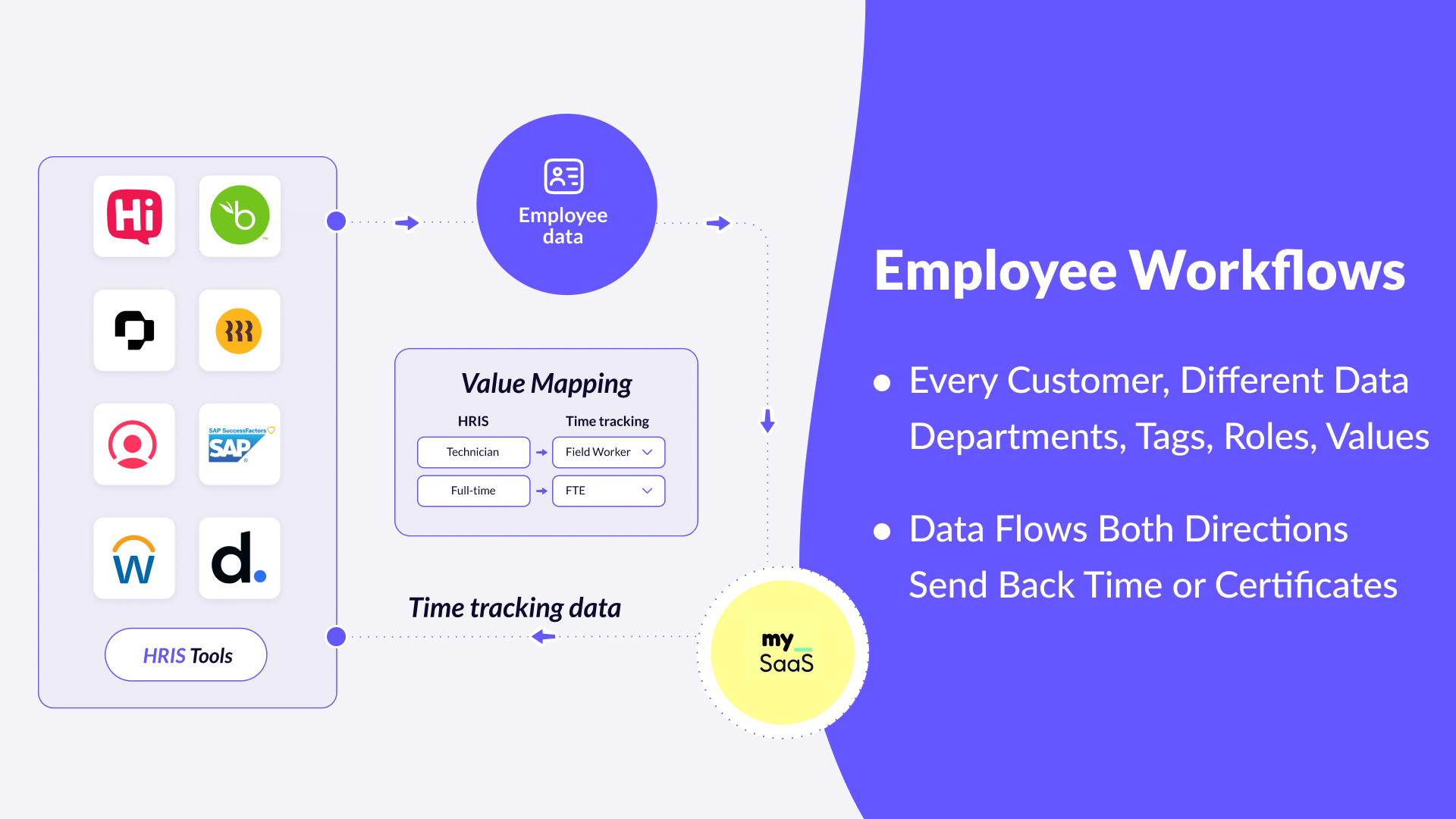
A Unified API doesn’t know what these conditions mean. A workflow automation layer does.
The Next Step: From Unified Data to Intelligent Workflows
Modern SaaS is moving from data integration to workflow enablement. To get there, integrations must be event-driven, listen for changes, and trigger the right actions immediately.
These workflows should be able to connect triggers and actions into multi-step sequences, enabling SaaS providers to deliver true automation without relying solely on manual development. The next step is intelligence, where systems make context-aware decisions that adapt to data and conditions, not just fixed rules.
Together, these capabilities transform integrations from passive data pipelines into active workflows that respond, decide, and execute.
Unified API vs. Workflow Automation
A Unified API helps you access data. Workflow automation helps your product create value.
A Unified API normalizes data models across systems. Workflow automation orchestrates actions across business processes.
A Unified API is built for developers. Workflow automation empowers product teams and even end users to activate their workflows directly inside the product.
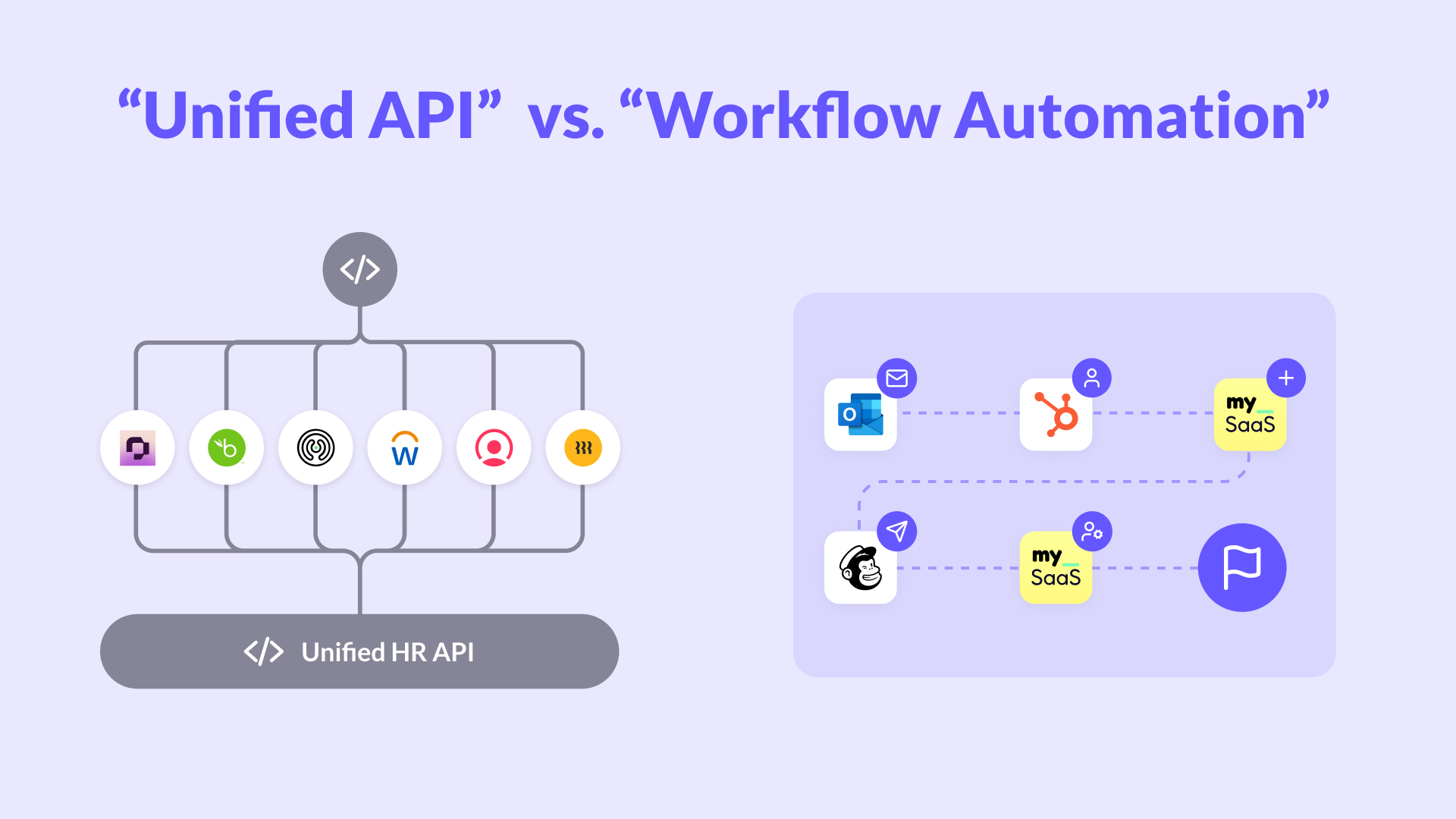
Both have their place. The difference is that one connects information, while the other connects intent. And intent is what creates outcomes customers can feel.
The Future Is Workflow-Centric
Unified APIs laid the foundation for modern integrations. They simplified how products talk to each other and removed a lot of engineering effort from repetitive connection work. But as the SaaS market evolves, data sync alone is no longer enough.
Modern SaaS providers need integrations that mirror how their users actually operate, with solutions that are dynamic, event-driven, and deeply aligned with business processes. This means understanding not just what data changed, but why it changed and what should happen next.

Unlock Your Embedded Automation Potential.
Deliver real value—launch automations with all the integrations your customers need, embedded directly in your app within days.
Start Now
This marks a turning point where integrations evolve from simple data connections to intelligent, adaptive workflows that align with how modern teams actually operate.
FlowMate – The Future of SaaS and AI Automation
As the line between integration and automation fades, FlowMate represents the next step forward. Built for SaaS providers, FlowMate unifies event-driven triggers and actions, workflow automation, and AI decisioning into one cohesive platform.
FlowMate enables teams to design, deploy, and manage integrations that not only connect data but also execute complete workflows. It combines intelligent event handling, automated flow orchestration, and embedded user experiences to deliver real-time automation within any product.
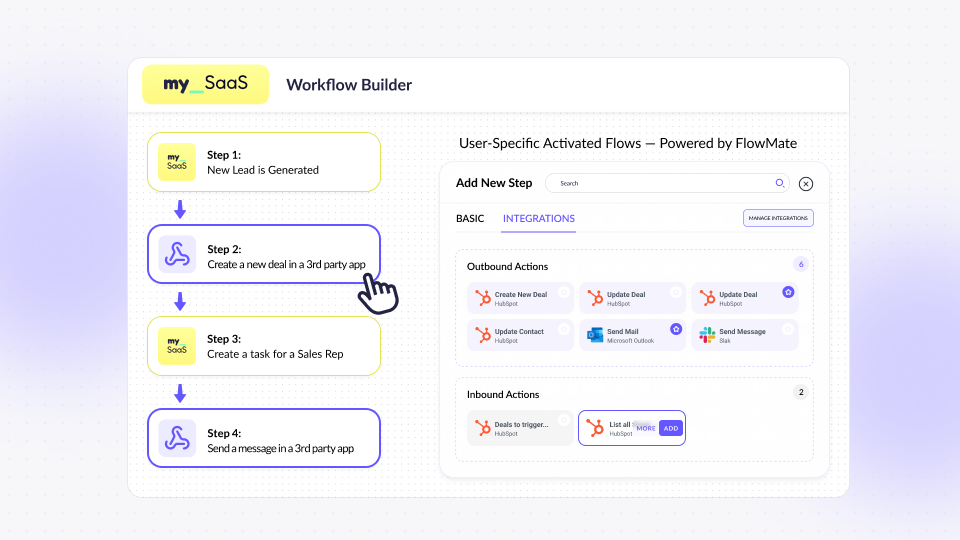
What makes FlowMate unique is that it serves both worlds: developers can use APIs and MCP Server to extend integration logic, while product teams can configure flows through an intuitive no-code interface. This combination turns integration into a collaborative layer across the organization, accelerating product capability, customer satisfaction, and operational speed.
With FlowMate, integrations evolve from background infrastructure to visible, user-facing value, a new generation of workflow intelligence for SaaS and AI.
Wrap-Up: From Data Sync to Workflow Intelligence
The journey from Unified APIs to workflow automation marks a turning point for SaaS companies. Data access and synchronization remain essential, but the true value lies in how that data drives real actions, decisions, and outcomes. The future belongs to platforms that don’t just connect systems, but empower them to work together intelligently.
Modern SaaS teams now face clear requirements: integrations must be event-based, adaptive, and context-aware. They need to handle multi-step workflows with human approvals, customer-specific data mapping, and flexible execution. Above all, they must reflect the unique processes of each customer, not a one-size-fits-all model.
Let’s Talk Automation Use Cases
Ready to move beyond data sync and become a workflow enabler, not just an integrator? Let’s discuss your real workflows, the events that matter, and how to turn them into outcomes your customers will feel.
Start Your Growth Journey With Seamless Integration Today

More articles from our Blog
Using MCP for Workflow Automation: What Works, What Doesn’t, and What You Actually Need
MCP standardizes how AI agents access tools, but it’s often mistaken for a workflow engine. In reality, it lacks structure, state, and governance. This article explains why MCP alone can’t power workflows and what additional layer you need to run automations reliably – including where FlowMate fits.
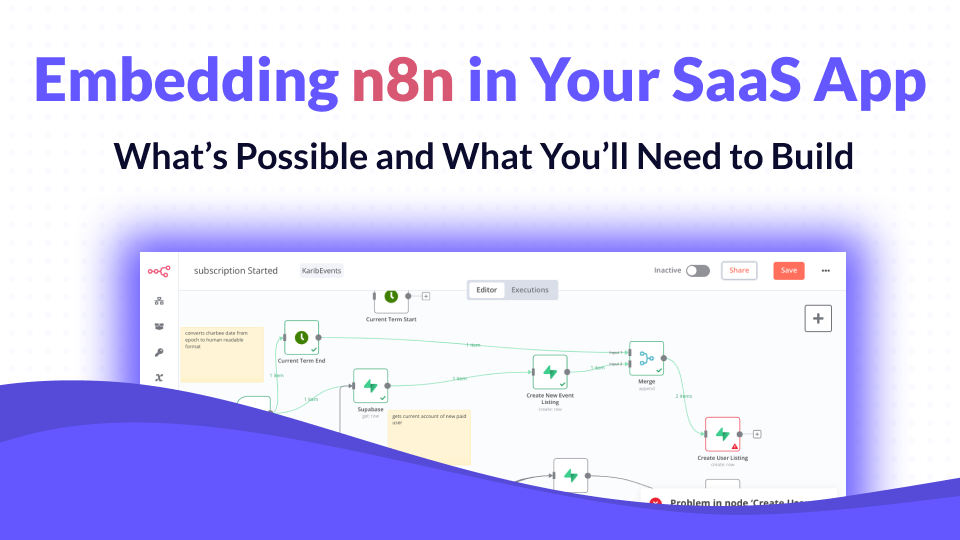
Embedding n8n in Your SaaS App: What’s Possible and What You’ll Need to Build
n8n has become one of the most popular workflow automation tools in the world, open-source, flexible, and developer-friendly. But when SaaS companies try to embed it into their own product, reality quickly gets complicated. In this article, we’ll unpack what n8n can do inside a SaaS product, what it can’t, and what you’d need to build to make it truly work at scale.
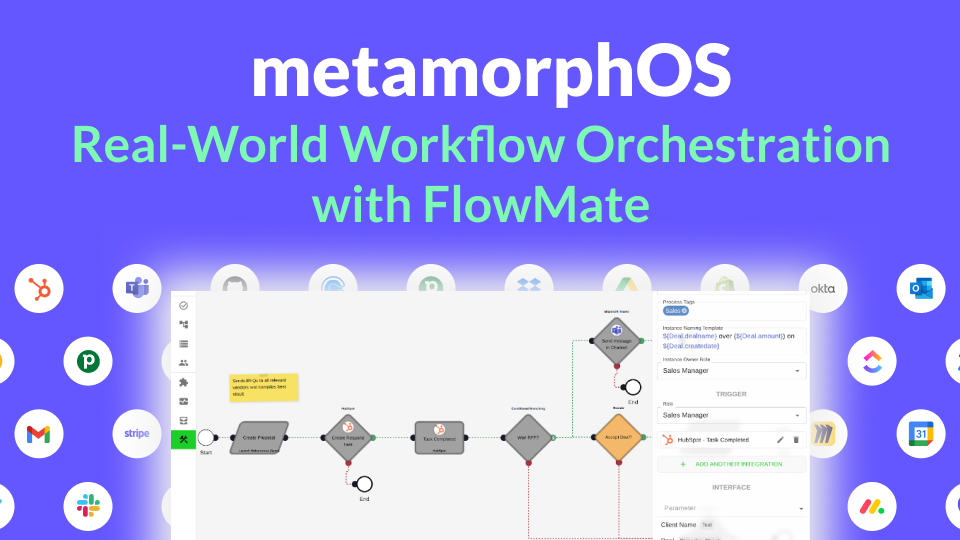
How metamorphOS Uses FlowMate to Power Real-World Workflow Orchestration
Discover how metamorphOS powers real-world workflow orchestration with FlowMate. By embedding FlowMate’s automation and integration engine, metamorphOS connects people, AI agents, and apps into seamless business processes. Learn how this partnership turns complex, manual workflows into scalable, automated success.
How to Launch New Integrations: A Go-To-Market Playbook for SaaS Teams
Learn how to turn your next integration launch into a strategic growth campaign, not just a technical release. This step-by-step playbook shows SaaS teams how to unlock revenue, improve retention, and generate demand by treating integrations as powerful go-to-market assets, not just features. If you want more from your integration investments, this guide is for you.

Empower Your AI Agent to Execute Real Actions Across Any SaaS Tool
Many SaaS teams are racing to embed AI agents into their products, but most AI agents are starkly limited. Why? Because they lack the infrastructure to take real action across third-party tools. In this post, we unpack what’s missing, why the MCP standard matters, and how FlowMate MCP turns your AI agent into an operator by unlocking real automation across your customers’ stack.

Monetizing Automation & Integrations: Turn Customer Pain into Your MRR
Most SaaS companies underestimate the business value of automation and integrations. In this post, we explore how native automation not only improves product stickiness but also opens the door to entirely new revenue streams. Learn how to boost MRR while helping your customers save money by replacing costly third-party automation tools.

The Missing Piece in SaaS Workflow Automation: Real-Time Integrations
Many SaaS products offer workflow automation within their app—but real-time, event-driven integrations with third-party apps are often missing or hard to implement. In this post, we explore why they’re essential for modern SaaS platforms and how teams can overcome the technical hurdles.

The #1 Sales and Churn Pitfall for SaaS Companies: integrations
In today’s SaaS landscape, seamless integrations are essential for boosting sales and cutting churn. Overlooking them leads to lost deals and frustrated teams. This post reveals why integration is a must-have for driving growth and meeting customer workflow demands.

Why Workflow-Driven Integrations Are Essential for CRM Success
In today’s hyper-connected sales environment, managing workflows isn’t just about using a CRM—it’s about seamlessly connecting dozens of tools that power the sales pipeline. Sales teams rely on CRMs, lead generation tools, contract management software, analytics platforms, and more to streamline their processes and drive revenue.

Mastering 2-Way Sync: The Key to Seamless Data Integration
Picture this: Your customers use Salesforce to manage their sales processes while they use your product to manage customer service and gain unique insights. Without integration, Salesforce data—like deal history or contact details—remains siloed, and your product’s insights can’t flow back to Salesforce.

Your Guide to Solving Customer Integration Challenges Quickly
Solve customer demands in days and empower your sales team to confidently close more deals. FlowMate’s Integration as Link provides instant, branded activation links for new integrations—no development required.

Zapier vs. FlowMate: Choosing the Best Integration Strategy for Your SaaS Business
Zapier vs. FlowMate: Discover how these two platforms serve different needs for SaaS providers. Learn why combining external automation with native, in-app integrations can enhance user experience, boost revenue, and strengthen customer loyalty. Find out which approach works best for you!
Get all integrations you need always up to date
Access over 120 pre-built integrations for rapid connectivity with your SaaS. Get integrations from our roadmap tailored to your requirements in the short-term. We create any integration you need using public APIs by arrangement, ensuring your integration needs are met swiftly and effectively.
